-

-
Location:
1922 Mentor Ave, Painesville Twp.
Location:
1922 Mentor Ave, Painesville Twp.
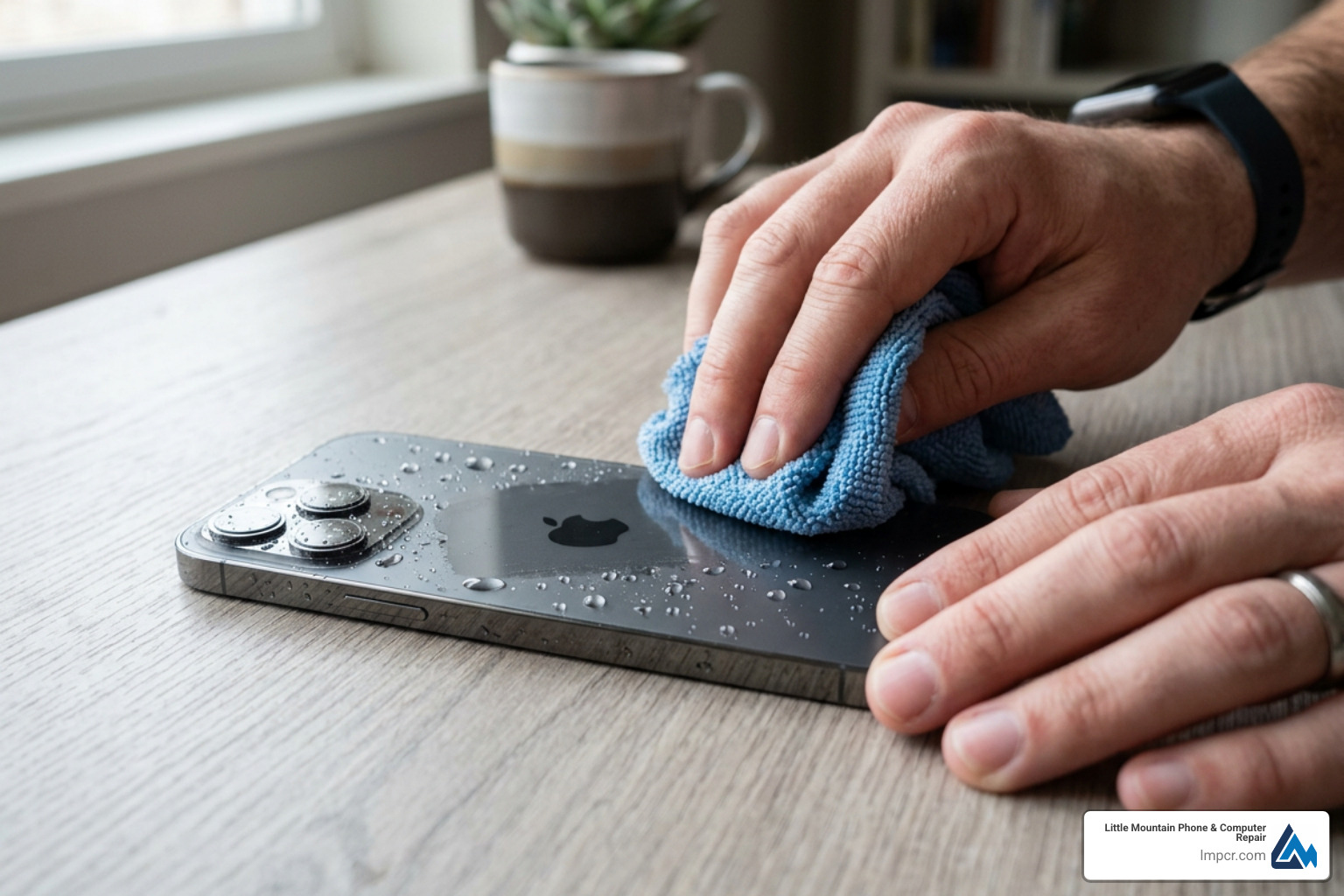
iPhone water damage can happen in seconds — a toilet drop, a sink splash, a sudden rainstorm — and the next few minutes matter more than most people realize.
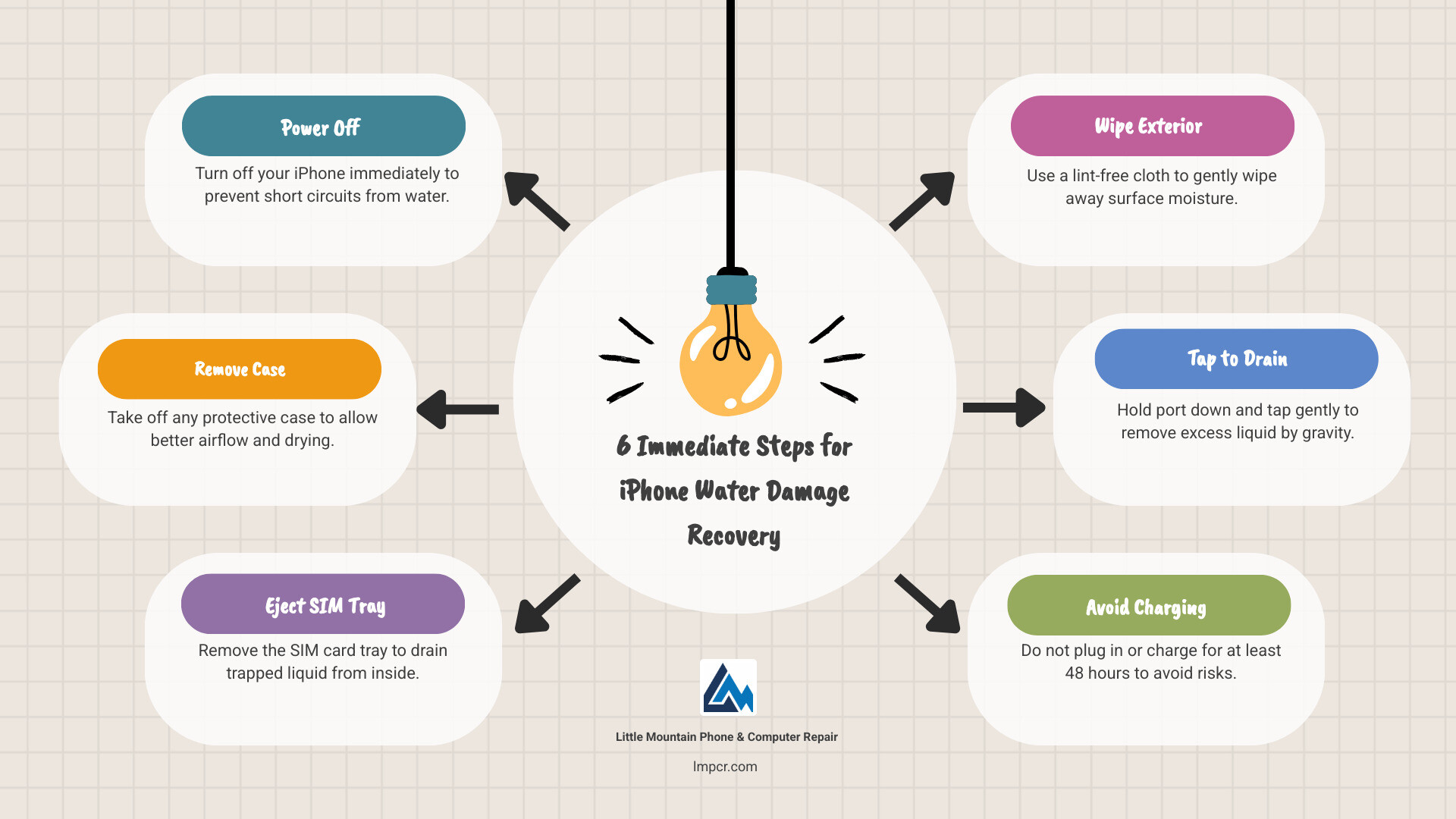
Here’s what to do immediately:
No phone is truly waterproof — only water-resistant. Even the latest iPhone models with an IP68 rating have limits, and water resistance weakens over time with normal wear. That means any iPhone can suffer real damage from liquid exposure, even a quick splash.
The good news? If you act fast and avoid common mistakes, there’s a solid chance your device can be saved.
I’m Jay Baruffa, President of Little Mountain Phone & Computer Repair, and I’ve spent years diagnosing and recovering devices with iPhone water damage across Lake County and beyond. In this guide, I’ll walk you through exactly what to do — step by step — so you give your iPhone the best possible chance.
Explore more about iPhone water damage:
When your iPhone takes a plunge, we often talk about the “Golden Hour.” Just like in medicine, the actions you take in the first sixty minutes can determine whether your device lives to see another text message or becomes an expensive paperweight. At Little Mountain Phone & Computer Repair, we’ve seen everything from phones dropped in Lake Erie to those that took a dip in a Chardon coffee mug.
The very first thing you must do is remove the power source. If the phone is on, turn it off immediately. If it was charging when the “dunk” happened, unplug it from the wall first, then the phone. Water and electricity are famously bad roommates; keeping the power on increases the risk of a short circuit that can permanently fry the logic board.
Next, strip the phone down. Remove any protective cases, screen protectors (if water is trapped underneath), and most importantly, the SIM tray. Removing the SIM tray isn’t just about saving your data chip; it creates a small vent for air to circulate inside the frame. If you have an iPhone 14 or newer purchased in the US, you won’t have a physical SIM tray, which makes professional inspection even more vital as there are fewer “natural” vents for moisture to escape.
For those who want the official word, you can check this guide from Apple for their specific handling instructions. If your phone was submerged and you’re worried about your photos and files, our Data Backup and Recovery Service is here to help residents from Painesville to Willoughby recover what matters most.
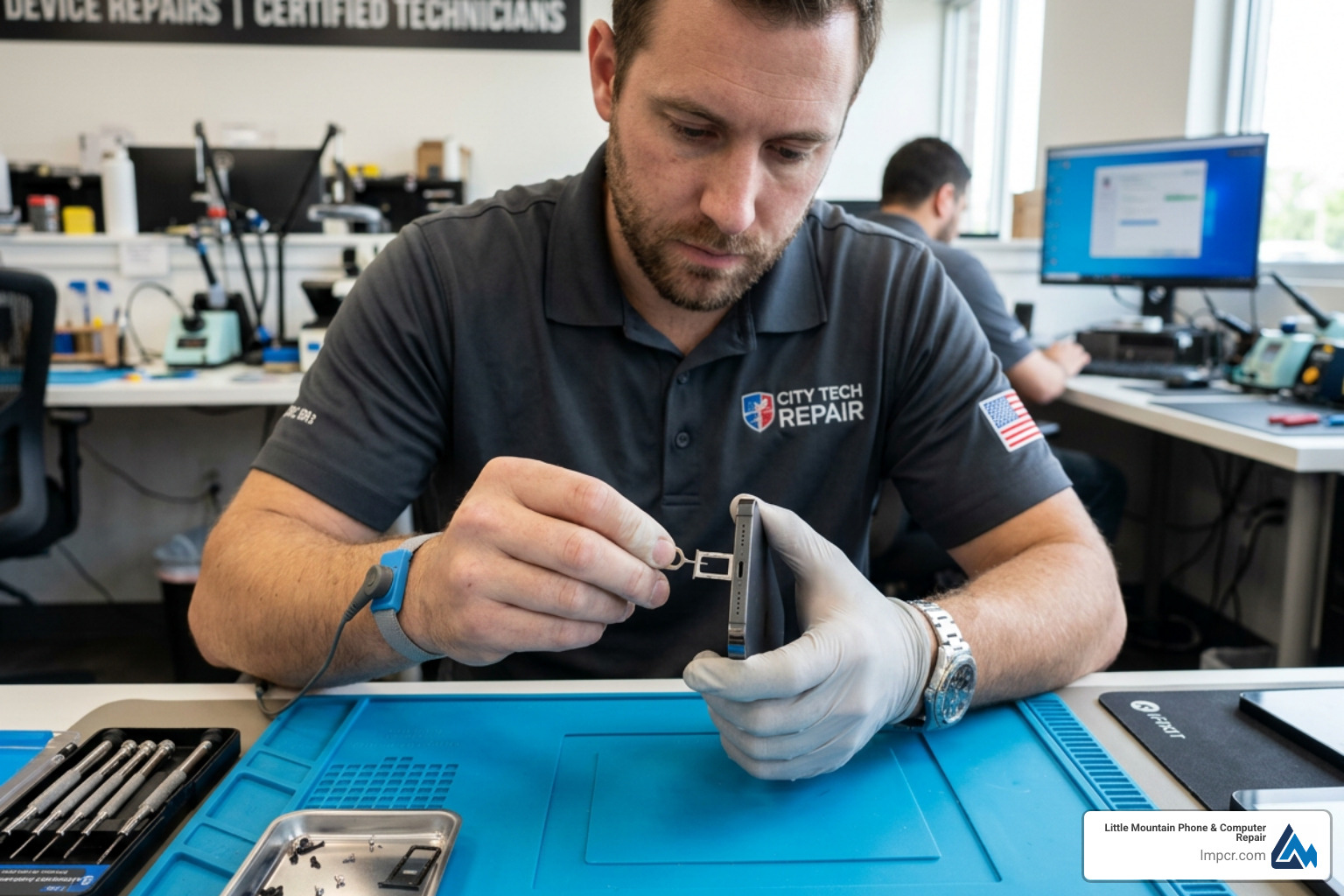
How do you know if the water actually got inside? Apple built in a “tattle-tale” called the Liquid Contact Indicator (LCI). On almost every iPhone model made after 2006, this indicator is hidden inside the SIM card slot.
To check it, you’ll need a bright light and perhaps a magnifying glass. Look into the SIM slot:
It is important to note that the LCI only turns red when it touches liquid. It won’t turn red just because it’s a humid day in Mentor or because you took a hot shower with the phone in the room. If it’s red, the “oops” is official. You can find the exact LCI locations for your specific model on this Apple site.
Once the phone is off and stripped down, you need to get the surface moisture off. Use a soft, lint-free cloth—a lens cleaning cloth or a microfiber cloth works best. Avoid paper towels or napkins, as they can break apart and leave debris in your ports.
The “Gravity Drain” is your best friend here. Hold the iPhone with the Lightning or USB-C port facing down and gently tap the phone against your palm. You’ll be surprised how much water can hide in that small port. Do not shake the phone violently. Shaking can actually force water deeper into the internal components or behind the screen layers.
If you’ve dropped your phone in something other than fresh water—like salt water from the lake, a sugary soda, or a chlorinated pool—Apple actually recommends a quick rinse with fresh tap water before you start the drying process. This removes corrosive salts and sticky sugars that do more damage than the water itself. For more specialized help with different models, check our Smartphone Service Category.
Now comes the hardest part: waiting. You need to let your iPhone air dry for at least 48 to 72 hours. We know, being without your phone for two days feels like losing a limb, but rushing this step is the number one cause of permanent iPhone water damage.
Place the iPhone in a dry area with plenty of airflow. A cool fan blowing directly into the charging port or the SIM slot is highly effective. Do not place the phone in a sealed container; you want the moisture to evaporate into the air, not get trapped.
While you wait, you might be tempted to see if it still works. Don’t. If there is still a single drop of water on the logic board when you hit that power button, it could be game over. If you absolutely must charge it after the initial 5-hour drying period, use a wireless charger if your model supports it. This avoids sending high-voltage current through a potentially damp charging port.
| Method | Effectiveness | Risk Level |
|---|---|---|
| Open Air + Fan | High | Very Low |
| Silica Gel Packets | Very High | Low |
| Uncooked Rice | Very Low | High (Dust/Debris) |
| Hair Dryer | Dangerous | Extreme (Melts Seals) |
We have to talk about the “Rice Myth.” It is the most persistent legend in tech repair, and it is also one of the worst things you can do. The idea is that rice acts as a desiccant to pull water out. In reality, rice is not very efficient at absorbing moisture from the air, and it certainly can’t “suck” water out of a sealed iPhone.
Worse yet, rice is dusty and full of starch. When that dust gets wet inside your charging port, it turns into a gunk that hardens like concrete. We’ve had to perform many repairs at our Lake County locations simply to remove rice debris from ports. This has been proven false by experts and Apple itself now explicitly warns against it.
Other things to avoid:
To stay updated on the best ways to care for your tech, read up on The Latest Trends in iPhone Repairs You Need to Know.
Sometimes, air drying isn’t enough. If your phone was fully submerged, minerals in the water will stay behind even after the liquid evaporates. This leads to corrosion—a white, chalky film that literally “eats” the metal connectors on your logic board.
If you are tech-savvy and have a repair kit, advanced DIYers sometimes disassemble the phone to clean the board with 90% or higher isopropyl alcohol. The alcohol displaces the water and dissolves the corrosion. However, this is incredibly risky. One slipped screwdriver can kill the FaceID sensor or tear a ribbon cable.
At Little Mountain Phone & Computer Repair, we use professional-grade ultrasonic cleaners and specialized chemical baths to strip away corrosion without damaging the delicate chips. If your LCI is red and the phone won’t boot, it’s time to stop the DIY and bring it to the pros.
“But my iPhone is waterproof!” We hear this a lot in our Painesville and Mentor shops. The truth is, there is no such thing as a waterproof iPhone. They are water-resistant.
Newer models (iPhone 12 through iPhone 16) typically carry an IP68 rating. Under the IEC 60529 standard, this means they can survive a depth of up to 6 meters (about 19 feet) for up to 30 minutes. Older models like the iPhone 7 or 8 have an IP67 rating, which only covers 1 meter for 30 minutes.
However, these ratings are based on “controlled laboratory conditions” with fresh water. They don’t account for the salt in Lake Erie or the chemicals in a Mayfield Heights swimming pool. Furthermore, water resistance is not permanent. It wears down as the adhesive gaskets age or if the phone has ever been dropped. If you’re debating whether to fix your old wet phone or upgrade, our A Comprehensive Guide to Phone Repair vs. Replace can help you decide.
Here is the cold, hard truth: Apple’s standard One-Year Limited Warranty does NOT cover liquid damage. Even if your IP68-rated phone leaks during a 1-foot drop into a sink, Apple considers this “out-of-warranty” damage. You may have some rights under consumer law and liquid damage statutes, but it is an uphill battle.
If you have AppleCare+, you are in much better shape. AppleCare+ covers accidental damage, including liquid exposure. You will still have to pay a deductible (usually around $99 for a full device replacement), but it is much cheaper than buying a new iPhone at full price. You can read the Apple’s official liquid damage policy to see the fine print.
For those without AppleCare+, we offer a more affordable alternative for Apple Products Repair Service right here in Lake County.
We recommend a 48-hour minimum. If the phone was submerged for more than a few seconds, wait 72 hours. Even if the exterior looks dry, moisture can remain trapped under the EMI shields on the logic board. Before you power it on, check that LCI one last time. If you see any signs of fogging in the camera lenses, that is a clear indicator that there is still significant moisture inside, and you should wait longer.
If your iPhone survived the dunk but the speakers sound like they’re underwater—well, they probably are. Water gets trapped in the speaker grill’s fine mesh.
You can use the Water Eject shortcut which plays a specific low-frequency tone designed to vibrate the water out of the speaker cavity. You can also place the phone speaker-side down on a lint-free cloth to encourage drainage. If you’re using an older model, like an iPhone 7, and the speaker stays quiet, check out our iPhone 7 Repair Service page for specific fixes.
If you see the “Liquid Detected in Lightning Connector” or “Charging Not Available” alert, stop immediately. This is your iPhone’s built-in safety system trying to prevent a fire or a short circuit.
For more tips on port issues, our The Ultimate Guide to Fixing Your iPad Charging Woes covers similar ground for Apple tablets.
Dealing with iPhone water damage is stressful, but it doesn’t have to be the end of your device. By following the “Power Off, Strip Down, Air Dry” method, you give your phone the best possible fighting chance. Remember: skip the rice, avoid the heat, and be patient.
If your iPhone still isn’t acting right after a few days of drying, or if you want the peace of mind that comes with a professional internal cleaning, come see us. Little Mountain Phone & Computer Repair has been serving the Lake County community—from Eastlake to Madison—for over 20 years.
We pride ourselves on our 30-minute average repair time for most common issues and our deep expertise in liquid damage recovery. Don’t let a little water ruin your day. Schedule a Repair online or visit our Our Services page to see how we can help get your tech back in top shape. Whether you’re in Painesville, Mentor, or Chardon, we’re your local experts in saving soaked smartphones!

Need Help?
© Big Hill Technologies, LLC. All Rights Reserved

