-

-
Location:
1922 Mentor Ave, Painesville Twp.
Location:
1922 Mentor Ave, Painesville Twp.
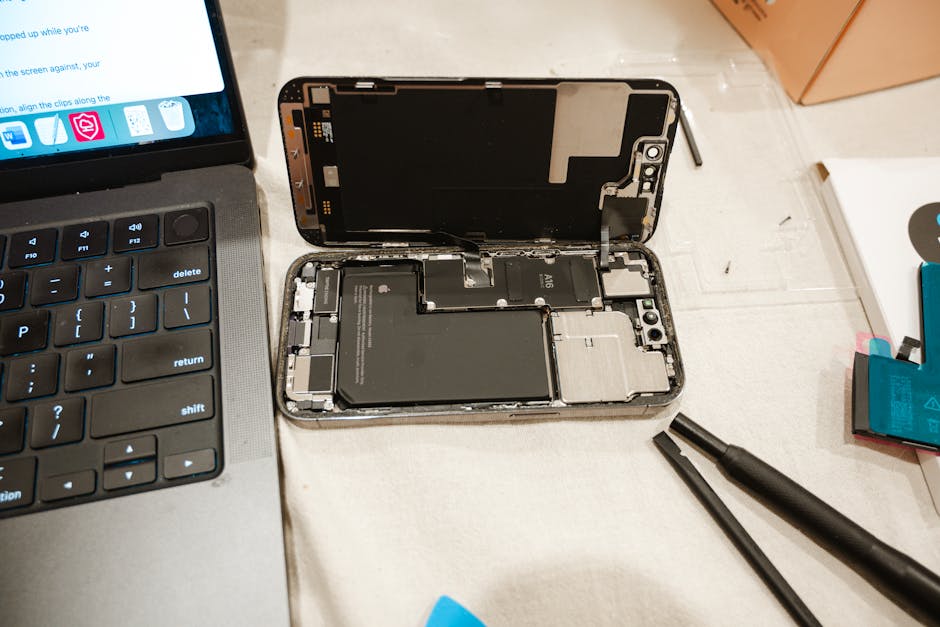
iPad battery replacement costs between $99 and $119 through Apple (plus tax and possible shipping), depending on your model. Here’s a quick summary of your main options:
| Option | Cost | Best For |
|---|---|---|
| Apple official service | $99–$119 | Reliability, genuine parts |
| AppleCare+ | Free (if below 80% capacity) | Active plan holders |
| Third-party repair shop | Varies | Faster turnaround, lower cost |
| DIY replacement | $30–$60 (parts only) | Tech-savvy users, older models |
Important: Apple typically replaces your entire iPad with a refurbished unit — not just the battery. Any cracks, dents, or bends may make your device ineligible for service.
Every lithium-ion battery has a lifespan. After a few years of daily charging, your iPad starts holding less power, draining faster, or shutting down unexpectedly. It’s not a flaw — it’s just physics. The real question is: what do you do about it?
Your options range from Apple’s official service to a DIY repair with tools from iFixit — and each path has real trade-offs in cost, risk, and convenience.
I’m Jay Baruffa, President of Little Mountain Phone & Computer Repair, and I’ve spent years helping people in the Painesville, Ohio area navigate exactly these kinds of decisions around iPad battery replacement and device repair. In this guide, I’ll walk you through everything you need to make the right call for your situation.
IPad battery replacement helpful reading:
When you look into an official iPad battery replacement, you aren’t just paying for a technician to swap a part. You are entering a specific ecosystem with very rigid rules. Unlike an iPhone, where the battery is swapped in the same device, Apple’s standard procedure for iPads is often a full device replacement. Because iPads are essentially “glued together,” opening them is labor-intensive and carries a high risk of screen breakage.
To maintain efficiency, Apple usually hands you a refurbished or reconditioned unit of the same model and specification. This “new” unit will have a fresh battery and a pristine outer shell, but you won’t know the history of its internal components.
| Feature | Apple Official Service | Professional Local Repair (LMPCR) |
|---|---|---|
| Typical Cost | $99 – $119 + Tax/Shipping | Competitive Local Pricing |
| Process | Full Device Exchange (Refurbished) | Component-Level Repair (Same Device) |
| Data | Wiped (Requires Backup/Restore) | Data Usually Remains Intact |
| Turnaround | 3-5 Days (Mail) or Appointment | 30-Minute Average Repairs |
| Parts | Genuine Apple | OEM Quality Parts |
If you choose the official route, you must ensure your device meets their cosmetic standards. Apple is notoriously strict: if your iPad has a chip, a crack, a significant dent, or even a slight bend that is only visible when laid flat on a table, they may deny the battery service and instead charge you a much higher “out-of-warranty” replacement fee. You can check Apple’s official support site to see the service options and standards for your specific model.
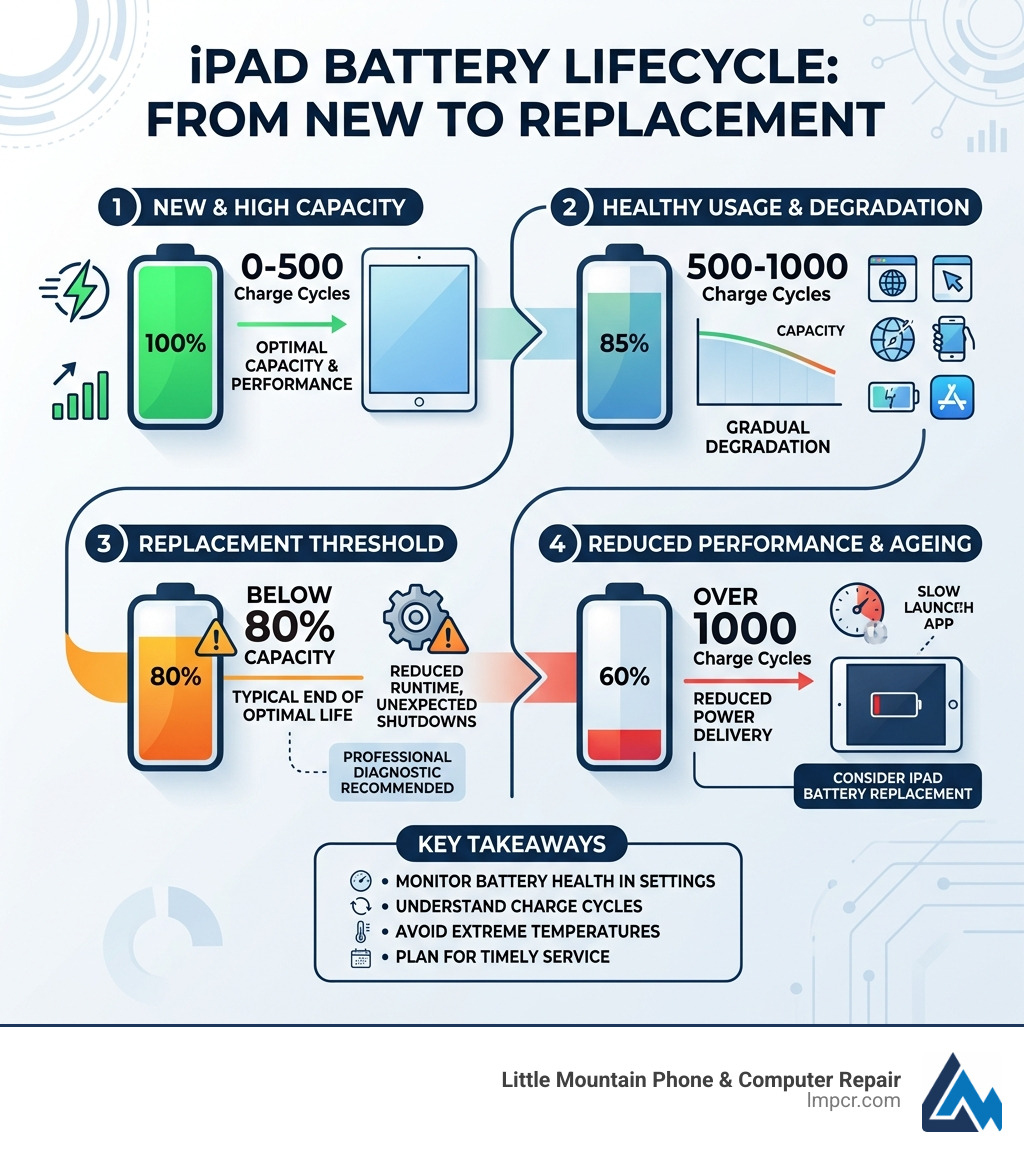
If you were smart enough to spring for AppleCare+, your iPad battery replacement might be entirely free. Apple provides battery service at no cost if the battery capacity has dropped below 80% of its original capacity and you have an active plan.
Under AppleCare+, you also gain access to “Express Replacement Service,” where Apple sends you a replacement iPad before you even send back your old one. However, standard one-year limited warranties only cover manufacturing defects. They do not cover batteries that have simply worn out from normal daily use. For more details on how these policies affect your gear, check out More info about Apple products repair.
Apple offers a few ways to get your service started:
All official Apple repairs come with a 90-day service guarantee or the remainder of your original warranty, whichever is longer. While they promise genuine parts, “genuine” can sometimes mean previously used parts that have been tested to meet Apple’s functional requirements. If you’re wondering why your device isn’t taking a charge in the first place, it might not even be the battery—see our guide to check your iPad charging woes.
For the brave souls in Mentor or Willoughby who want to save a few bucks, the DIY route is an option. However, we have to be honest: iPads are among the most difficult consumer electronics to repair.
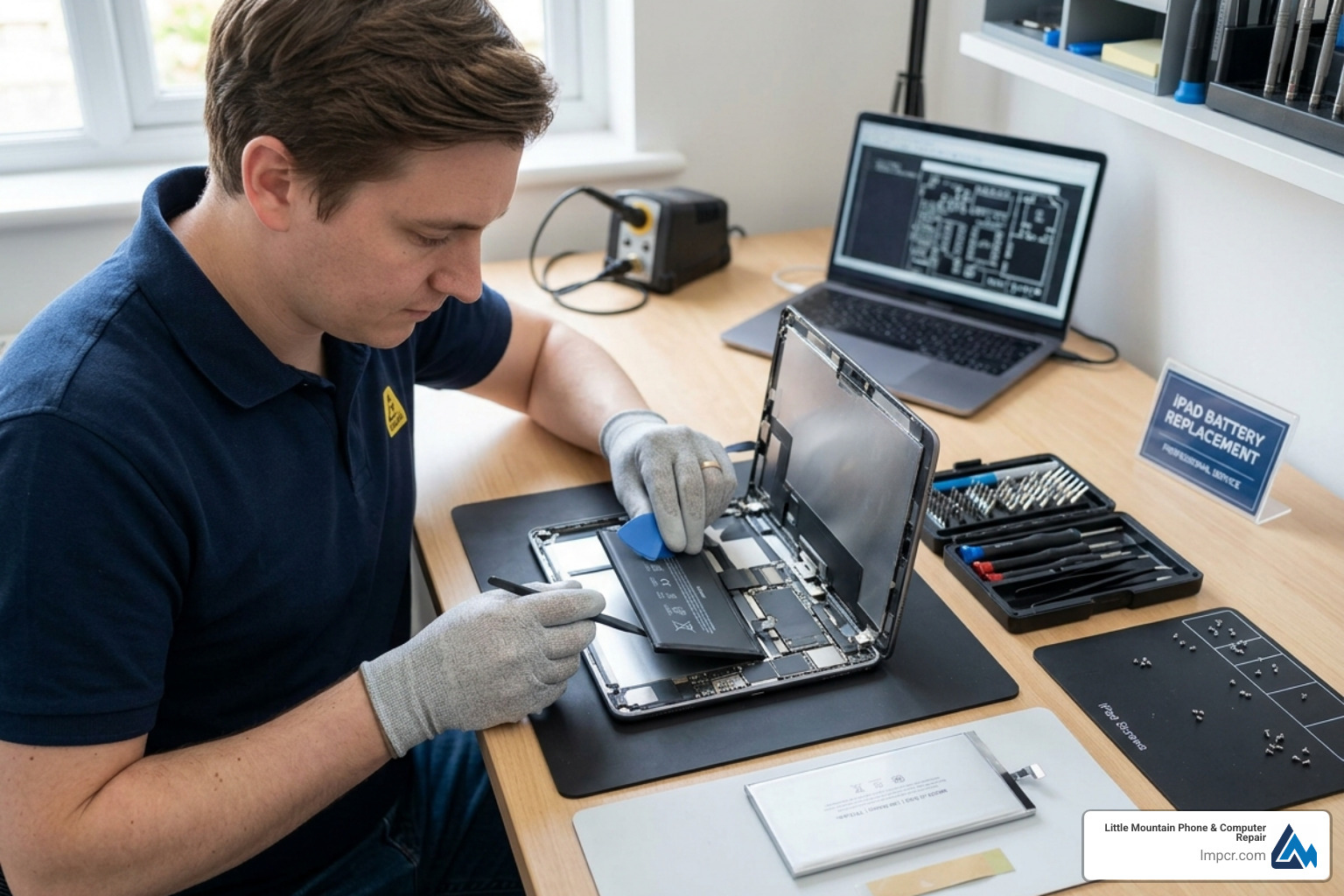
If you’re going to attempt this, you’ll need more than just a screwdriver. A standard kit usually includes:
You can find highly detailed model-specific repair resources online, such as the iPad Pro 11″ 3rd Gen Battery Replacement guide and the iPad Air 4 Battery Replacement guide on iFixit, and they make it clear just how many steps can go wrong.
The biggest hurdle in a DIY iPad battery replacement is the “glued construction.” Unlike a laptop where you might unscrew a back panel, an iPad requires you to heat the front glass to around 60-70 C and slowly slice through the adhesive.
One wrong move with a prying tool can:
A typical DIY repair for a beginner takes anywhere from 2 to 5 hours. It is a test of patience. If you aren’t comfortable with the idea of potentially destroying your screen while trying to save the battery, don’t let a dead iPad ruin your day – bring it to a professional.
If you decide to proceed, sourcing a quality part is vital. You’ll often see parts labeled “Model A2288” or similar. While you can find cheap batteries on marketplace sites, we strongly recommend sticking to reputable aftermarket suppliers that spot-test their stock for capacity.
Once the new battery is in, you must calibrate it to ensure the software knows how to read the new power levels correctly:
A failing battery isn’t just an inconvenience; it can be a safety risk. If you notice your iPad screen is “lifting” or “bulging” away from the frame, stop using it immediately. This is a sign of a swollen battery.
A swollen battery is a pressurized “fire bag.” If you puncture it with a metal tool during a DIY repair, it can undergo thermal runaway – essentially becoming a small, unstoppable blowtorch. If you encounter this, we recommend skipping the DIY attempt. For the latest M4 models, model-specific repair resources like the iPad Pro 13″ Battery Replacement guide on iFixit also include important warnings on handling these delicate internal layouts.
Never throw an old iPad battery in your household trash or recycling bin. Lithium-ion batteries are a major cause of fires in garbage trucks and processing centers. Instead, take your old battery to an R2 or e-Stewards certified recycler. Many local shops in Lake County, including ours, can help ensure these are disposed of responsibly.
Unlike the iPhone, the iPad doesn’t have a simple “Battery Health” percentage in the main Settings menu (unless you are on the very latest iPad Pro/Air models). For most users, you have to dig into Settings > Privacy & Security > Analytics & Improvements > Analytics Data. You’re looking for a log file that mentions “Battery.” Alternatively, you can plug your iPad into a Mac or PC and use third-party tools like iMazing or CoconutBattery to see the exact cycle count and remaining capacity. If it’s below 80%, it’s time for a change.
Yes! Cellular models have extra antenna cables and different internal layouts to accommodate the SIM tray and LTE/5G hardware. When following a repair guide, you’ll often see steps that say “Wi-Fi models skip this.” Be very careful not to tear an antenna cable that you didn’t know was there.
As mentioned earlier, Apple will likely deny a standard battery service if the device has cosmetic damage. They view a bend or a crack as a liability—if they try to open a bent iPad, the screen will almost certainly shatter. In these cases, a local repair shop is often your only choice, as we can perform component-level repairs that Apple refuses to touch.
At Little Mountain Phone & Computer Repair, we’ve seen it all—from batteries that only last ten minutes to DIY attempts that ended in shattered glass. With over 20 years of experience serving the communities of Painesville, Mentor, and Willoughby, we pride ourselves on a 30-minute average repair time for most devices.
While Apple might make you wait days for a refurbished unit, we focus on getting your specific device back in your hands quickly. We use OEM-quality parts and offer comprehensive solutions that save you the headache of “mail-in” boxes and Genius Bar appointments.
If your iPad is tethered to a wall outlet or acting erratically, don’t wait for the battery to swell and damage your screen. Get expert iPad service from our team today and keep your tech alive.
Helpful internal links for your repair journey:

Need Help?
© Big Hill Technologies, LLC. All Rights Reserved

