-

-
Location:
1922 Mentor Ave, Painesville Twp.
Location:
1922 Mentor Ave, Painesville Twp.
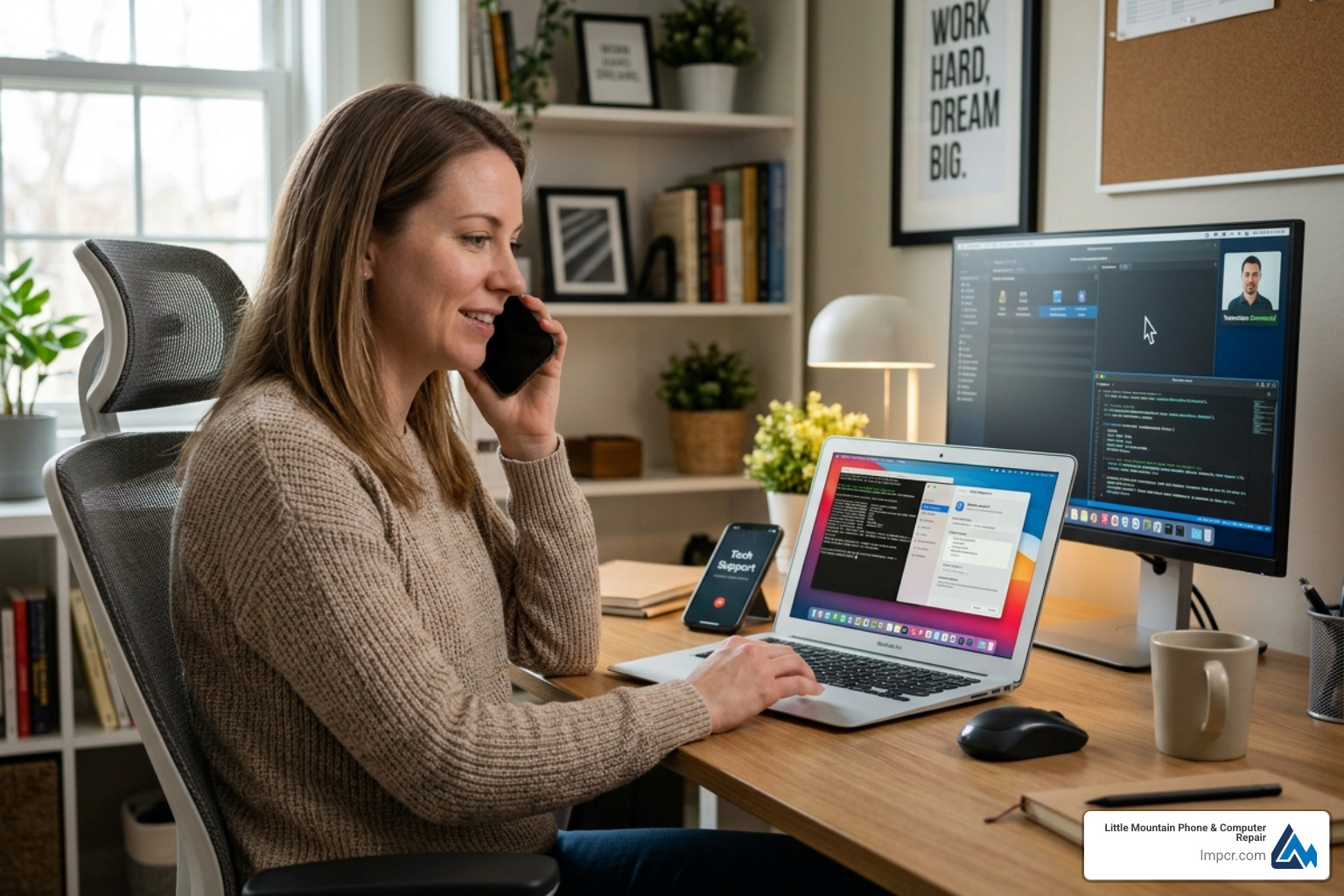
Computer repair by phone is exactly what it sounds like: a certified technician connects to your computer remotely — over the internet — and fixes your problem while you watch from home.
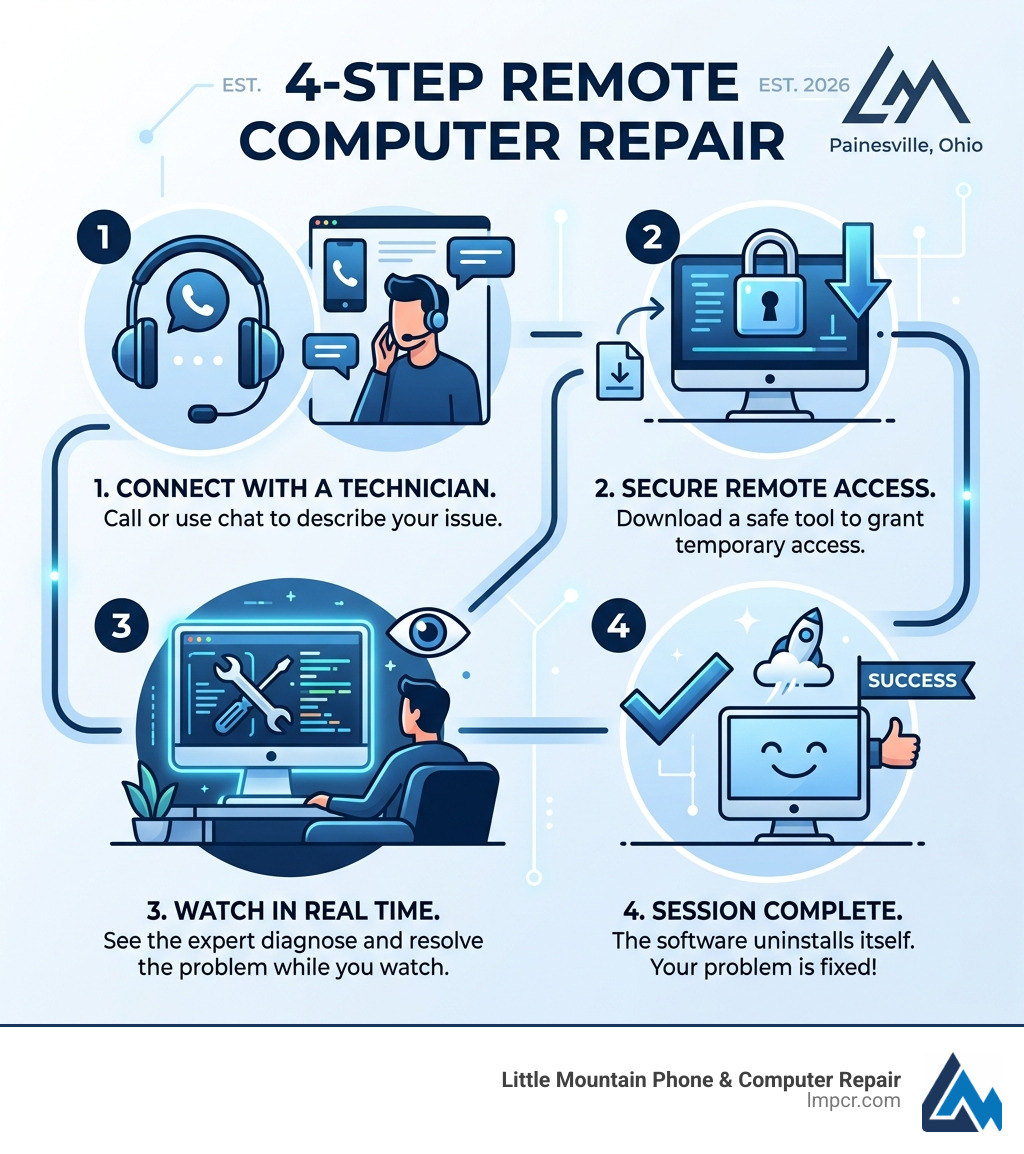
Here’s how it works at a glance:
Most common software problems — slow performance, viruses, crashes, printer issues — can be fully resolved this way. No driving. No waiting rooms. No leaving your computer anywhere.
The only things remote repair can’t fix are physical hardware problems, like a cracked screen or a dead battery. Those still need hands-on service.
I’m Jay Baruffa, President of Little Mountain Phone & Computer Repair in Painesville, Ohio, and I’ve spent years helping residential and business clients solve tech problems fast — including through computer repair by phone for issues that don’t require a device to leave your hands. In this guide, I’ll walk you through everything you need to know to get your computer fixed remotely, safely, and affordably.
Must-know computer repair by phone terms:
At its core, computer repair by phone (often called remote computer repair) is a virtual house call. Instead of lugging your heavy desktop or laptop into a shop in Mentor or Willoughby, you stay put. You speak with a technician over the phone who then uses specialized software to view your desktop as if they were sitting right next to you.
This process relies on Computer Repair expertise delivered through a high-speed internet connection. It’s a bit like “telehealth” for your technology. For many of our neighbors in Lake County, this is the fastest way to get back to work or browsing without the hassle of unhooking cables. If you want a general overview of how remote tech assistance works, remote desktop software is a helpful reference point.
When you seek PC Repair through this method, the steps are straightforward. You’ll visit a secure portal on our website to download a lightweight application. This software acts as a secure bridge. Once you provide the technician with a unique, one-time permission code, they can see your screen and move your mouse. You have total control the entire time; if you move your mouse, you take over, and you can end the session with a single click.
You might wonder, “How can they fix my computer if they can’t touch it?” The reality is that about 90% of modern computer frustrations are software-based. By establishing a secure connection, a technician can perform deep-level troubleshooting just as effectively as if they were in the room.
During a session, we can:
Security is the top priority for any reputable computer repair by phone service. Professionals use encrypted tools designed to prevent unauthorized access. Tools like RescuConnect allow for a seamless experience where you, the user, are always the gatekeeper.
These tools generate one-time PINs or random access codes that expire the moment the session ends. This means once the tech disconnects, they cannot get back into your computer without you generating a brand-new code and giving it to them again. Furthermore, many of these tools feature “auto-uninstall” capabilities, ensuring that no extra software stays on your machine after the repair is finished.
Safety is the number one question we get from folks in Painesville and Chardon. “Is it safe to let someone into my computer?” The answer is yes—provided you are working with a verified, reputable company.
Professional remote repair services use banking-level encryption (128-bit or 256-bit AES) to ensure that the data traveling between your computer and the technician’s screen cannot be intercepted. We highly recommend checking for Data Backup Recovery options before starting any major repair, just as a best practice, but the remote session itself is designed to be non-intrusive to your personal files.
To ensure you are getting safe computer help online, follow these golden rules:
Reliable providers stand by their work. Most computer repair by phone services offer a “no-fix, no-fee” guarantee. If we can’t solve the software issue remotely, we shouldn’t charge you for the attempt. Additionally, look for companies that maintain BBB A+ standards, ensuring that if something goes wrong after the session, you have a clear path to getting it resolved. Many services offer a limited warranty (often 7 to 30 days) on the specific fix performed during the session.
Remote support is incredibly versatile, but it isn’t a magic wand. Knowing what can be fixed over the phone versus what requires a trip to our shop in Lake County will save you time.
| Can Be Fixed Remotely | Requires In-Shop Repair |
|---|---|
| Virus & Malware Removal | Cracked Laptop Screen |
| Slow Performance/Tune-ups | Liquid Damage/Spills |
| Email & Outlook Issues | Motherboard/Logic Board Failure |
| Printer & Wi-Fi Setup | Broken Charging Port |
| Software Installation | Hard Drive Replacement (Physical) |
| Blue Screen of Death (Software) | Battery Replacement |
Whether you have a Dell Laptop that won’t stop popping up ads or a Macbook Pro that is running painfully slow, remote Laptop Repair can often get you back up and running in under an hour. It’s also the perfect solution for printer troubleshooting or email sync issues that seem to happen at the worst possible times. For a deeper dive into why you shouldn’t panic when things go wrong, check out our guide on Expert Computer Repair at Your Home.
As much as we’d love to fix everything via a phone call, hardware is hardware. If your computer won’t turn on at all, or if you hear a grinding noise coming from the fan, a remote technician can’t help. Physical components like “blown fuses” or damaged circuits require specialized tools and a steady hand. If you suspect your hardware is the culprit, you might want to read about Mastering Computer Board Repair to understand the complexity involved in those physical fixes.
Why choose computer repair by phone?
Pricing varies, but most reputable remote repairs fall into the $50 to $100 range for a single-issue fix. Some providers offer tiered pricing—for example, a quick 30-minute “tune-up” might be around $50, while a full virus removal and optimization might be closer to $100. Always look for flat-rate pricing to avoid “hourly surprises.” Many local shops, including those serving the Mentor and Chardon areas, also offer senior discounts to help our older neighbors stay connected safely.
Before you call for help, make sure you meet these basic requirements:
Absolutely. Modern remote access tools are cross-platform. Whether you need a Windows optimization or help with a Mac software reinstall, a certified technician can handle both. This includes fixing driver compatibility issues, cleaning up Apple-specific malware, or helping you navigate the latest macOS updates.
At Little Mountain Phone & Computer Repair, we believe that technology should make your life easier, not more stressful. With over 20 years of experience serving the Lake County community—from Painesville to Willoughby and everywhere in between—we’ve seen it all. While we love seeing our customers in person at our shop, we know that sometimes you just need a quick fix without the commute.
Our computer repair by phone services are designed to be fast, with a 30-minute average repair time for many common software hitches. We provide comprehensive solutions that keep your data safe and your devices running smoothly. Whether you’re dealing with a stubborn virus or a printer that’s gone rogue, our expert technicians are just a phone call away.
Ready to get your PC back in peak condition? Explore our full range of Computer Repair Services and see why your neighbors trust us with their most important tech. No house call needed—just expert help, right when you need it.

Need Help?
© Big Hill Technologies, LLC. All Rights Reserved


