Don’t Let Your Tablet Die Young
Your Tablet Battery Is Probably Dying Faster Than You Think
Tablet battery replacement service is one of the most common — and most overlooked — repairs that can give your device a second life. Here’s a quick look at your main options:
| Option |
Best For |
Typical Cost |
Time |
| Professional repair shop |
Most people |
$50–$150+ |
45 min – same day |
| Manufacturer service (e.g., Apple) |
Devices under warranty/AppleCare+ |
Free – $99+ |
Days to weeks |
| DIY replacement |
Experienced users only |
$20–$60 (parts) |
1–3 hours+ |
If your tablet won’t hold a charge, shuts down randomly, or feels warm all the time, the battery is likely the problem — not the tablet itself. The good news: you probably don’t need a new device. A battery replacement is almost always cheaper and faster than buying a replacement.
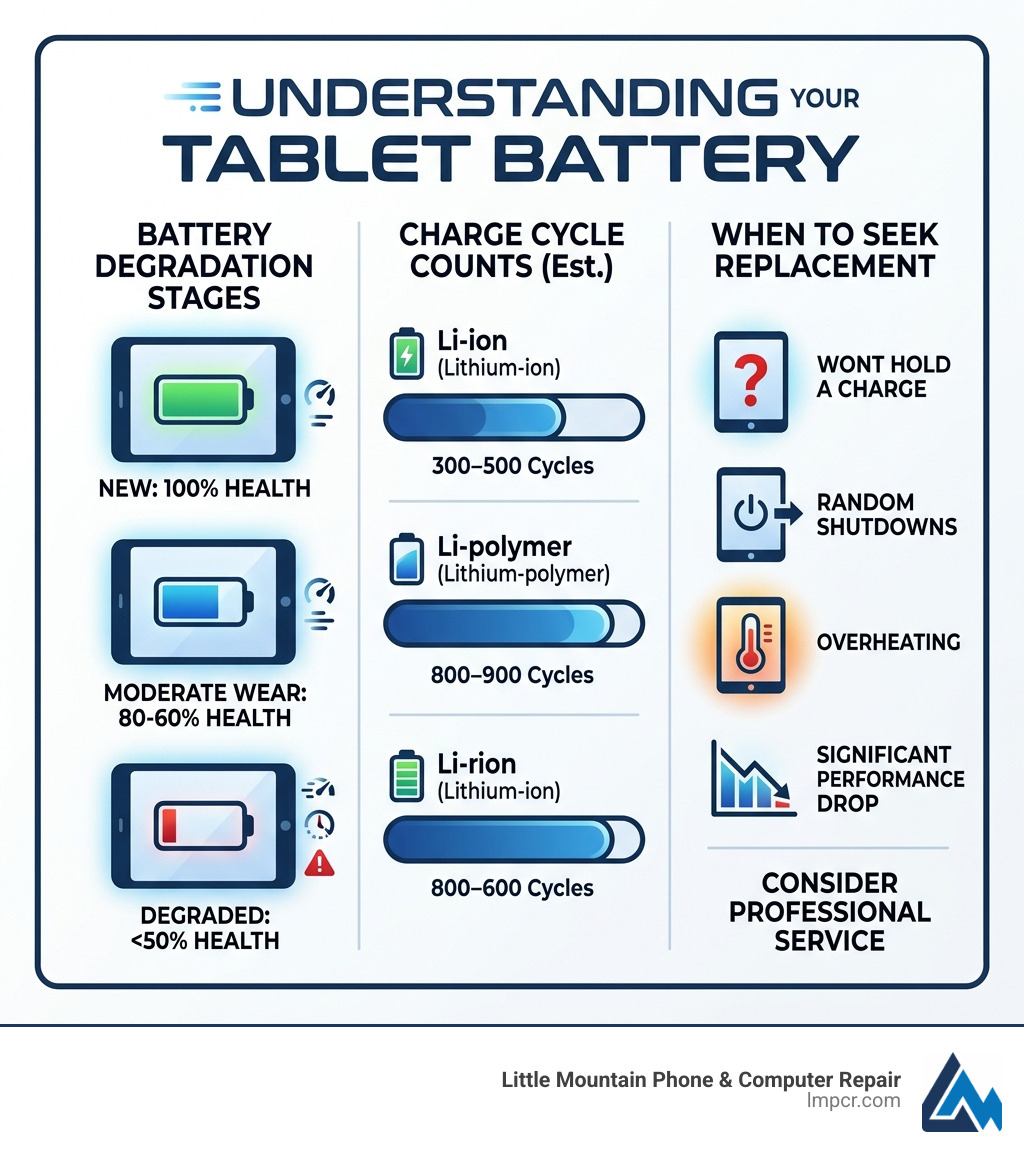
Modern tablets use either lithium-ion or lithium-polymer batteries. Both degrade over time. Lithium-ion batteries typically last 300–500 charge cycles before you notice a real drop in performance. Lithium-polymer batteries hold up longer — around 800–900 cycles. Either way, most tablets start showing battery problems within one to three years of regular use.
I’m Jay Baruffa, President of Tech Dynamix and the driving force behind Little Mountain Phone & Computer Repair in Painesville, Ohio — and tablet battery replacement service is something my team handles every day for customers across Lake County. With years of hands-on experience diagnosing and repairing tablets of all brands and models, I’ll walk you through everything you need to know to make the right call for your device.
Tablet battery replacement service terms at a glance:
Recognizing the Need for a Tablet Battery Replacement Service
When you first unbox a new iPad or Samsung Galaxy Tab, the battery life feels infinite. You can binge-watch shows, answer emails, and play games for hours on end. But as the months turn into years, that “infinite” power starts to feel more like a countdown timer. Recognizing the early warning signs of a failing battery can save you from the frustration of a device that dies right in the middle of an important task.
At Little Mountain Phone & Computer Repair, we see tablets from all over Lake County—from Mentor to Chardon—that suffer from the same inevitable chemical aging. Whether it’s a lithium-ion (Li-ion) or lithium-polymer (Li-poly) battery, performance will eventually dip.
Common Signs Your Tablet Battery is Failing
How do you know if it’s actually the battery or just a heavy app draining your juice? Look for these specific symptoms:
- The 20% Hourly Drop: If you are losing more than 20% of your charge per hour during normal use (like browsing the web or checking social media), your battery capacity has likely diminished significantly.
- Sudden Shutdowns: This is a classic. Your tablet says it has 30% or 40% power left, and then—poof—the screen goes black. This happens because the aged battery can no longer provide the consistent voltage required to keep the processor running during a “spike” in activity.
- The Bulging Screen: This is a safety emergency. If you notice your screen lifting away from the frame or a “soft spot” on the display, your battery may be swelling. This is often caused by heat or overcharging and requires immediate tablet battery replacement service.
- Slow Charging: If your tablet takes 4+ hours to reach a full charge with the original charger, the internal resistance of the battery has increased, making it harder for energy to flow in.
- Power Tethering: If your tablet only stays on when it’s plugged into the wall, the battery is effectively “dead,” and the device is running solely on the charging port’s power.

Battery Lifespan by Model and Type
Different tablets use different battery chemistries, which impacts how long they last.
| Battery Type |
Common Models |
Expected Cycle Life |
Years of Use |
| Lithium-Ion |
Older iPads, Budget Androids |
300 – 500 cycles |
1 – 2 years |
| Lithium-Polymer |
Modern iPads, Samsung S-Series |
800 – 900 cycles |
2 – 3 years |
A “cycle” is defined as using 100% of the battery’s capacity. If you use 50% today, charge it, and use 50% tomorrow, that counts as one cycle. For most users in the Willoughby and Painesville area, a tablet battery will need a refresh every 24 to 36 months to maintain that “like-new” feel.
Professional vs. DIY Tablet Battery Replacement
We get it—the internet is full of “easy” 10-minute repair videos. However, what those videos don’t show is the three hours of frustration, the broken glass, and the tiny screws that mysteriously disappear into your carpet. Tablets are significantly more difficult to repair than laptops or even some smartphones.
Why Choose a Professional Tablet Battery Replacement Service?
Choosing a professional service like Little Mountain Phone & Computer Repair offers several advantages that a kitchen-table repair simply can’t match:
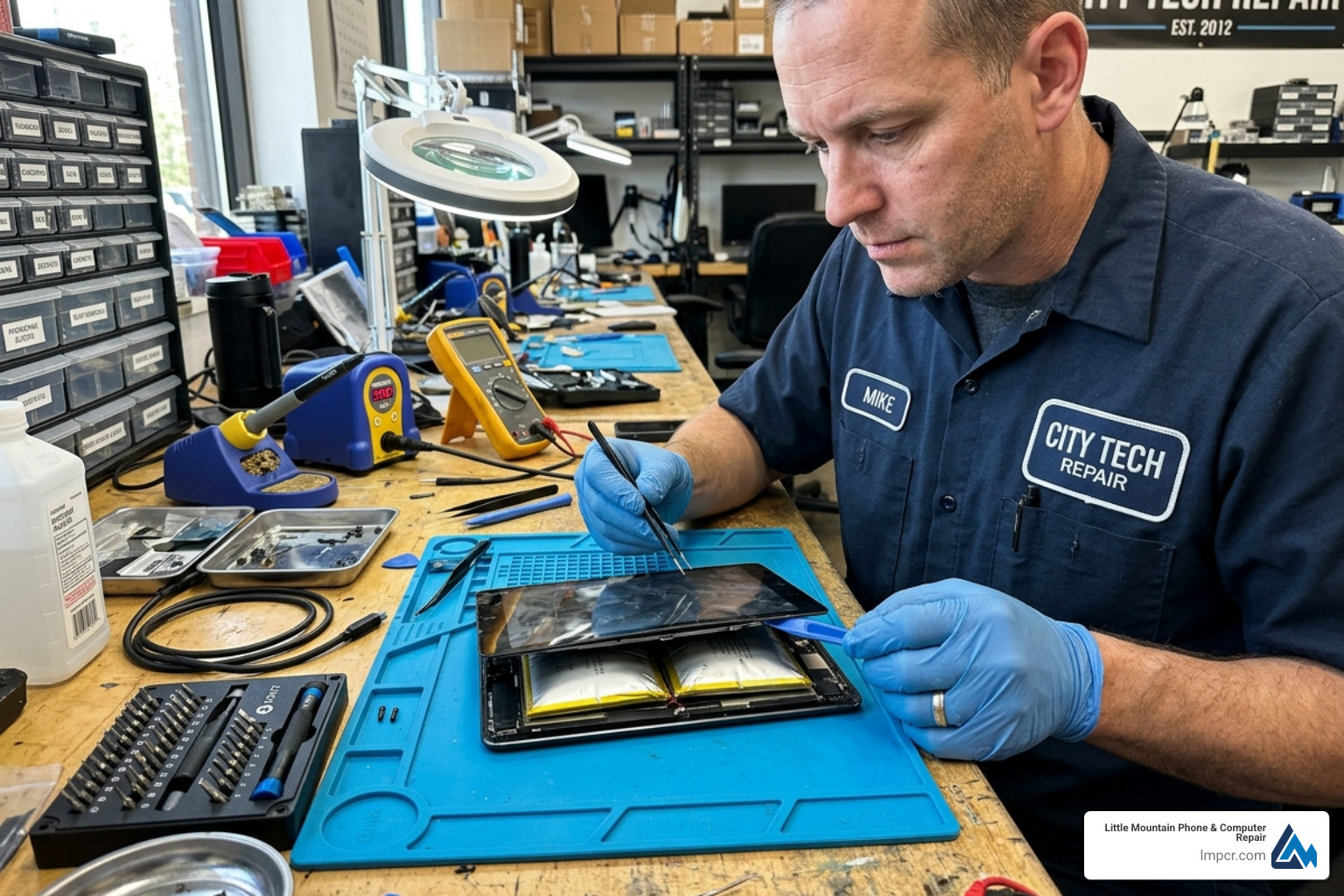
- Precision and Tools: Modern tablets, especially iPads and Microsoft Surfaces, are held together with incredibly strong industrial adhesive. We use specialized heat mats and suction tools to open the device without cracking the digitizer.
- Safety and Disposal: Lithium batteries are volatile. If you accidentally puncture a battery with a metal pry tool during a DIY attempt, it can vent gas or even catch fire. We handle the Tablet Repair Services at Little Mountain Phone & Computer Repair with safety protocols in place and ensure the old battery is recycled responsibly.
- Warranty Protection: When we perform a tablet battery replacement service, we stand behind our work. Most reputable shops offer a warranty (we offer a comprehensive guarantee based on our 20+ years of experience), whereas a DIY mistake is entirely your financial burden.
- Calibration: After a new battery is installed, the tablet’s software needs to be “taught” the new battery’s capacity. Our experts handle the calibration so your percentage readings are 100% accurate.
Risks of Self-Repair on Modern Tablets
If you’re considering doing it yourself, be aware of the “hidden” dangers:
- Glass Breakage: To get to the battery, you almost always have to remove the screen. On many tablets, the glass is thinner than a fingernail. One wrong move and you’ve just added a $150 screen repair to your bill.
- Ribbon Cables: There are paper-thin cables for the home button, the display, and the digitizer hidden right under the edges of the glass. It is incredibly easy to slice these during the opening process.
- Static Discharge: Without proper grounding, a tiny spark of static electricity from your finger can fry the motherboard, turning your tablet into an expensive paperweight.
What to Expect During the Repair Process
At Little Mountain Phone & Computer Repair, we believe in transparency. We want our neighbors in Lake County to feel confident when they drop off their tech. We’ve spent over two decades refining our process to be as smooth as possible.
Cost and Time Estimates for Tablet Battery Replacement Service
We know you rely on your tablet for work, school, and keeping the kids entertained. That’s why we prioritize speed.
- Free Diagnostics: Not sure if it’s the battery or the charging port? We offer a $0 complete checkup to find the root cause. We’ll explain the issue clearly and give you a firm price before we start.
- Repair Time: While some big-box stores might send your device away for weeks, we aim for the same-day turnaround. Our average repair time is just 30 minutes, though complex tablet battery swaps often take about 45 to 90 minutes to ensure the adhesive sets perfectly.
- Pricing: A professional tablet battery replacement service typically ranges from $70 to $150, depending on the model. This is a fraction of the cost of a new $500–$1,000 tablet. For specific details, check out our Service Post/Tablets Ipad Repair/ page.
Choosing a Reputable Repair Service
Not all repair shops are created equal. When searching for a provider in the Mentor or Wickliffe area, look for these markers of quality:
- Grade A+ Components: Ensure the shop uses high-quality parts. While “Original” parts are sometimes restricted by manufacturers, “OEM-quality” or “Grade A+” batteries provide the same capacity and safety features as the original.
- Experience: Look for a team with a track record. With over 20 years in the industry, we’ve seen every tablet evolution from the first iPad to the latest Galaxy Tab S9.
- Clear Communication: A good shop will give you an upfront estimate and notify you immediately if they find other issues, like water damage or a loose charging port.
Maximizing Your Tablet’s Battery Life
Once you’ve had your tablet battery replacement service, you’ll want to make that new battery last as long as possible. Here are some expert tips from our shop to keep your device healthy:
- Manage Brightness: The screen is the biggest power hog. Use “Auto-Brightness” or keep it below 50% when indoors.
- Watch the Temperature: Heat is the number one killer of lithium batteries. Never leave your tablet in a hot car in a Lake County summer, and avoid using it while it’s sitting on a soft blanket that traps heat.
- Update Your Software: Manufacturers often include battery optimization in software updates. Keep your iPad or Android tablet up to date.
- Mind Your Apps: Check your settings to see which apps are running in the background. If an app is using 15% of your battery while you aren’t even using it, turn off its “Background App Refresh” permissions.
- Dark Mode: If your tablet has an OLED or AMOLED screen (common on high-end Samsung tabs), using Dark Mode can significantly save power because the screen doesn’t have to light up the black pixels.
Frequently Asked Questions about Tablet Repairs
Is my tablet still under warranty for a free replacement?
It’s always worth checking! If your tablet is less than a year old, the manufacturer’s limited warranty usually covers “manufacturing defects.” However, they won’t cover “normal wear and tear.”
- AppleCare+: If you have this for your iPad, Apple will replace the battery for free—but only if the capacity has dropped below 80% of its original health.
- Standard Warranty: Most warranties do not cover accidental damage (like a cracked screen that happened while you were trying to fix the battery yourself).
Can water damage affect my tablet’s battery?
Absolutely. Water and electricity are famously bad neighbors. If moisture gets inside, it can cause short circuits that drain the battery instantly or lead to corrosion that prevents charging.
- The Rice Myth: If your tablet gets wet, do not put it in a bag of rice. Rice does very little to pull moisture out of the internal components and can actually leave behind dust and starch that causes more damage.
- The Real Fix: Bring it to a professional immediately for a “sonic cleaning” and diagnostic. We can often save the tablet if we get to it before the corrosion sets in.
Do repair shops use original manufacturer parts?
This is a common question. Companies like Apple and Samsung often tightly control their “Genuine” parts. However, the electronics industry relies on contract manufacturers. Reputable independent shops use OEM-quality parts. These are batteries made to the exact same specifications, using the same materials and safety controllers as the ones that came in your device. At Little Mountain Phone & Computer Repair, we prioritize “Grade A+” parts to ensure your tablet performs exactly like it did on day one.
Conclusion
Your tablet is a vital part of your daily life, whether you’re using it for business in Willoughby Hills or schoolwork in Madison. Don’t let a tired battery turn a high-performance machine into a frustrating burden. A tablet battery replacement service is a cost-effective, eco-friendly way to extend the life of your device by years.
At Little Mountain Phone & Computer Repair, we combine 20+ years of experience with a passion for helping our Lake County community. With our 30-minute average repair times and expert technicians, we can get your device back in your hands faster than anyone else.
Ready to give your tablet a second wind? Visit our Professional Tablet Repair Services page to learn more or stop by our shop in Painesville today. We’re here to make sure your tech stays as mobile as you are!