-

-
Location:
1922 Mentor Ave, Painesville Twp.
Location:
1922 Mentor Ave, Painesville Twp.
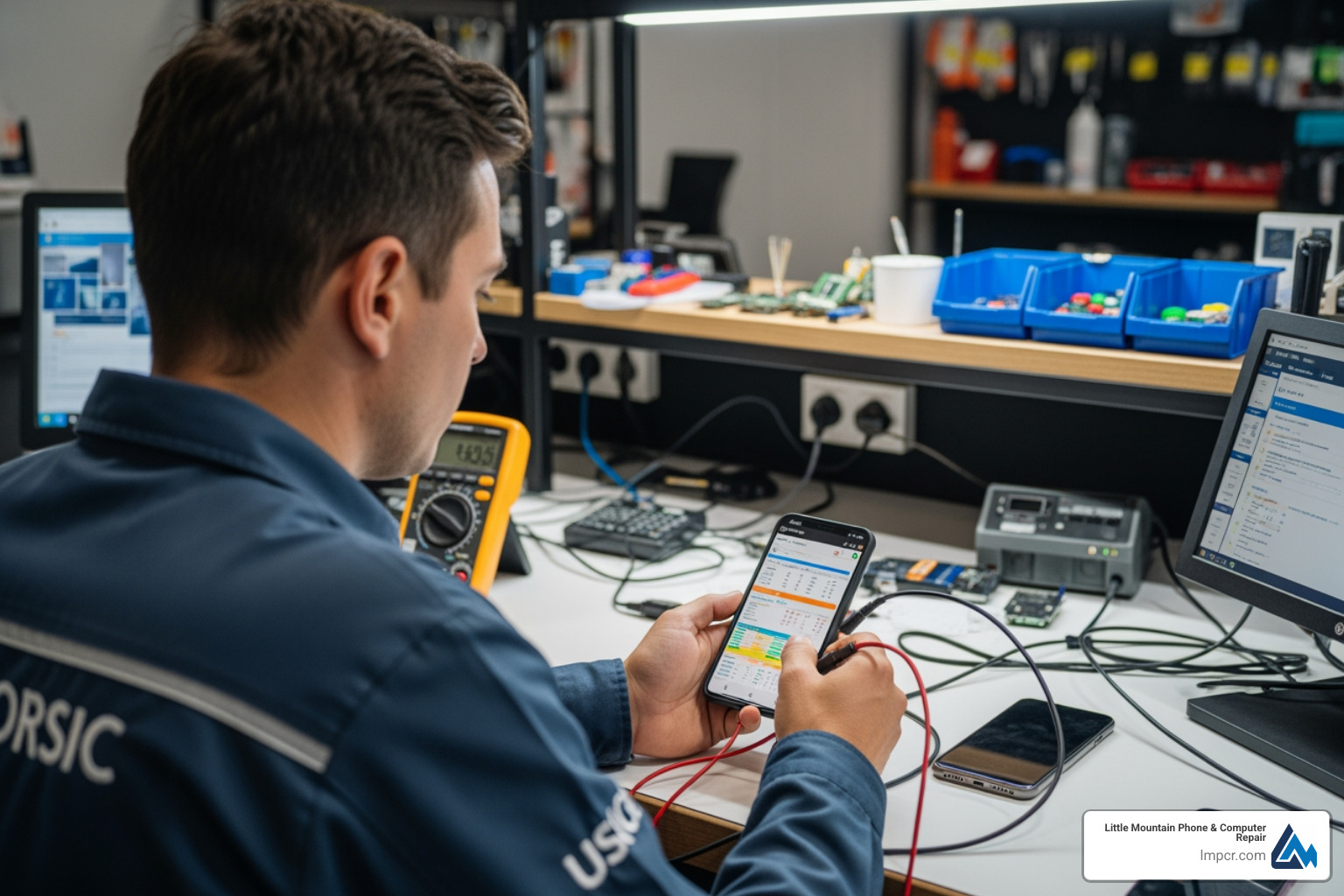
A phone diagnostic service is a professional or self-run test that checks your smartphone’s hardware and software to identify issues like battery drain, broken sensors, screen problems, charging failures, or hidden malfunctions. Here’s what you need to know:
Quick Answer: What a Phone Diagnostic Service Does
Whether you’ve just bought a used phone, notice something acting strange, or you’re preparing to sell your device, diagnostics reveal what’s really going on under the hood. Some manufacturers like Samsung and Google offer built-in diagnostic tools you can access with simple keypad codes, while third-party apps provide more comprehensive testing. Professional services use specialized software that can run 60+ point inspections in under a minute with 98% accuracy—far beyond what consumer apps can detect.
Earlier this week, a frustrated customer posted on Reddit about taking their phone to a repair shop. After handing over the device, the technician asked for their passcode to run “diagnostic tests” after fixing the screen. This scenario highlights a common dilemma: diagnostics are essential for thorough repair work, but they also raise legitimate privacy concerns when your personal data is at stake.
As Jay Baruffa, President of Tech Dynamix and owner of Little Mountain Phone & Computer Repair in Painesville, I’ve spent years helping customers understand exactly what’s wrong with their devices before recommending solutions. Our team performs comprehensive phone diagnostic service assessments that identify hardware failures, software glitches, and performance issues—giving you the full picture before you make any repair decisions.
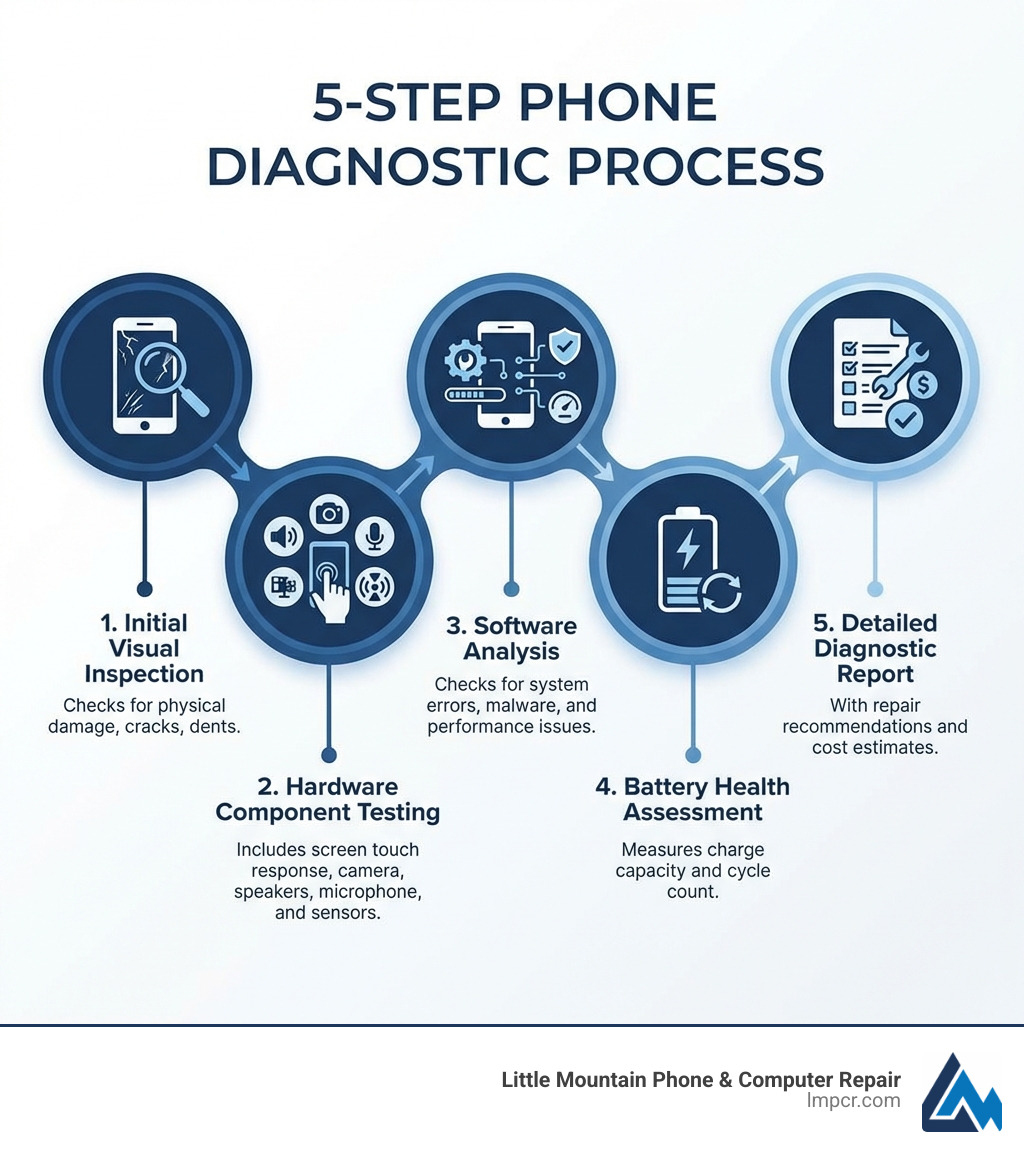
Think of a phone diagnostic service as a “physical exam” for your device. Smartphones are incredibly complex machines, packed with tiny sensors, delicate ribbon cables, and sophisticated software. When something goes wrong—like your screen flickering or your battery dying at 20%—the symptom is obvious, but the cause might be hidden.
A proper diagnostic check goes beyond surface-level observations. It involves hardware identification to ensure all internal components are genuine and functioning. It also includes performance optimization, looking for “resource hogs” in your software that might be slowing you down.
One of the most critical areas we check is battery health. Over time, lithium-ion batteries chemically age, losing their ability to hold a charge. A diagnostic scan can tell us exactly how many “cycles” your battery has been through and its current maximum capacity. This is a key part of our Smartphone Category services, helping you decide if you need a simple battery swap or a more extensive repair.
Furthermore, sensor testing is vital. Your phone relies on gyroscopes, accelerometers, and proximity sensors for everything from rotating your screen to turning off the display when you hold it to your ear. If these fail, your user experience suffers. Before you decide to ditch your current device, reading A Comprehensive Guide to Phone Repair vs Replace can help you weigh the diagnostic results against the cost of a new phone.
You don’t always need to visit us in Painesville or Mentor to get a baseline idea of your phone’s health. Many manufacturers have hidden tools built right into the operating system.
*#0#* to enter a secret hardware test menu (this works on most Samsung Galaxy models).*#*#7287#*#* in the Phone app. This allows you to check the functional health of the screen, sensors, and connectivity.If the built-in tools aren’t enough, several third-party apps offer a more “all-in-one” experience for hardware verification.
For those in our iPhone Category, Phone Doctor Plus iOS is a popular choice. It provides a list of over 30 hardware items and sensors to test, including the CPU, memory, and even the earphone jack (if your phone still has one!).
Android users might prefer Zinny, which offers a clean dashboard to display your favorite tests for easy access. Another great option for iOS is iDiagnosis, a free app that checks the gyroscope, compass, and Face ID sensors. These apps are excellent for a quick check-up, but remember: they are limited by what the software can “see.” They can’t always detect deep-seated motherboard issues or subtle liquid damage.
One of the biggest hurdles for customers seeking a phone diagnostic service is the “passcode problem.” To test your camera, Wi-Fi, or speakers, a technician often needs to get past the lock screen. We understand that your phone contains your entire life—emails, bank apps, and private photos.
Privacy concerns are real. A small study found that in about 50% of tested repair shops, technicians looked through personal folders when given full access. While we pride ourselves on professional integrity at Little Mountain Phone & Computer Repair, we always encourage customers to take steps to protect themselves.
To mitigate risks, manufacturers have introduced features that allow for diagnostics without exposing your data.
Always check the developer’s privacy policy before using third-party diagnostic apps to see how they handle your data. For more on how to handle these situations, see our Detailed Guide to Phone Screen Repair Options or our tips on getting a Speedy Solution for Your Smart Devices.
While apps are great for a “DIY” check, they don’t compare to the professional tools we use. Professional software like Phonecheck Pro or Phone Clinix provides a level of detail that consumer apps simply cannot reach.
For example, Phonecheck Pro runs a 60+-point diagnostics inspection in just 60 seconds. This programmatic testing eliminates over 99% of human error. It doesn’t just ask “Does the camera work?”; it checks the image quality, focus speed, and sensor calibration.
When we handle a Smartphones Repair, we look for things an app might miss:
Even Apple’s own Apple Diagnostics for Self Service Repair is designed to help isolate specific issues that standard user-facing menus won’t show. At Little Mountain Phone & Computer Repair, we combine these high-tech software tools with 20 years of hands-on experience to catch the subtle hardware failures that software alone might overlook.
In most cases, a basic phone diagnostic service at our shop takes about 2-3 minutes using our automated systems. If your phone has complex, intermittent issues—like a Laptop Repair or a PC Repair might—we may need a comprehensive scan, which can take 5-10 minutes. We strive for a quick turnaround, often completing the entire assessment and providing a quote while you wait.
Yes and no. Software diagnostics can identify that a component (like a speaker or microphone) has failed, but it can’t always tell why. However, a professional technician will check the Liquid Contact Indicators (LCIs) inside the device. If your phone has been submerged, we look for internal corrosion on the circuit board. This is a standard part of our Cellphone Category intake process.
Absolutely! Providing a diagnostic certification can significantly increase buyer confidence and your trade-in value. It proves that the iPhone 7 or Samsung Galaxy you’re selling is fully functional. Knowing The Latest Trends in Cellphone Repairs You Need to Know can also help you decide if it’s worth fixing a minor issue before listing the device for sale.
Your smartphone is a marvel of modern engineering, but it isn’t invincible. Whether you are dealing with a shattered screen on a Samsung A13 or a mysterious software glitch on your Dell Laptop, a professional phone diagnostic service is the first step toward a reliable fix.
At Little Mountain Phone & Computer Repair, we bring over 20 years of experience to every device that crosses our bench. Serving Lake County—from Painesville and Mentor to Willoughby and Madison—we pride ourselves on our 30-minute average repair times and our commitment to transparency. We don’t just fix phones; we provide peace of mind by showing you exactly what’s happening inside your tech.
Ready to get your device back in top shape? Visit our Expert Device Repair Services page or stop by one of our locations today for a comprehensive check-up. Whether it’s a Computer Repair or a simple screen swap, we’ve got you covered.

Need Help?
© Big Hill Technologies, LLC. All Rights Reserved


