-

-
Location:
1922 Mentor Ave, Painesville Twp.
Location:
1922 Mentor Ave, Painesville Twp.
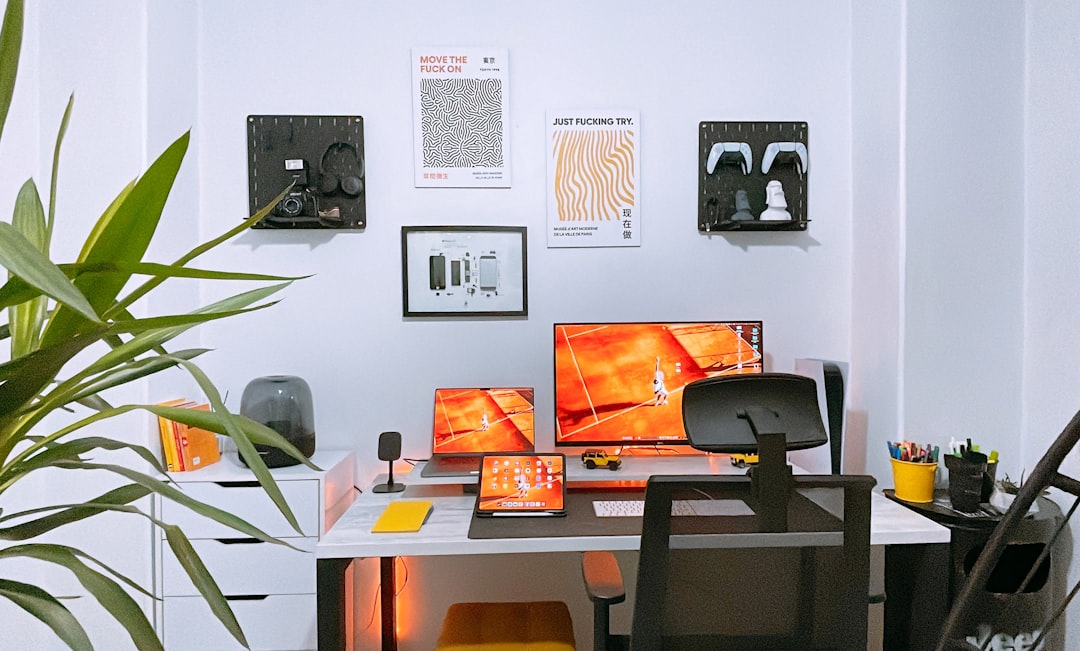
Home office tech has transformed from a luxury into a necessity for millions of workers. Whether you’re working from home full-time or just a few days per week, having the right tools directly impacts your productivity, comfort, and professional image. Here’s what you need to know:
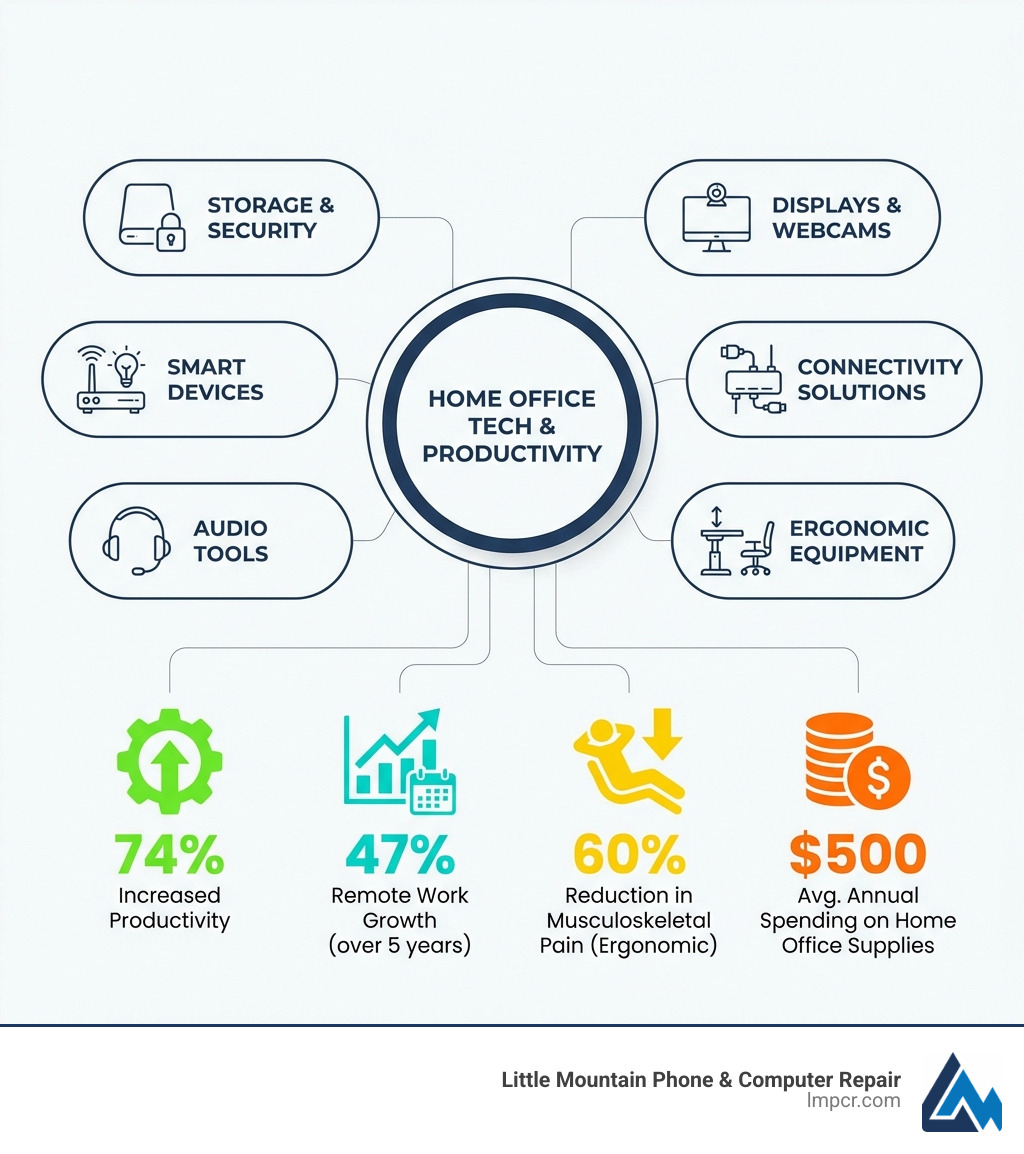
Essential Home Office Tech Categories:
The data backs up these investments. 74% of workers report being more productive when working from home, according to industry statistics. The global home office equipment market is projected to reach $100 billion by 2025, reflecting how permanent remote work has become.
But productivity gains don’t happen automatically. The difference between struggling through video calls with a grainy laptop camera versus presenting confidently with a 2K external webcam is real. The same goes for hunching over a laptop versus using a properly adjusted monitor arm and standing desk.
Working from home should feel comfortable. It should boost your efficiency. And it definitely shouldn’t leave you with back pain or eye strain at the end of the day.
The challenge? Knowing which tech actually delivers value versus which products are just clever marketing. That’s where smart shopping comes in.
I’m Jay Baruffa, President of Tech Dynamix and owner of Little Mountain Phone & Computer Repair in Painesville, Ohio. Over the years, I’ve helped hundreds of remote workers and local businesses optimize their home office tech setups, from diagnosing connectivity issues to recommending reliable equipment that won’t break the bank. Let me walk you through the tools that genuinely make a difference.
When we think about a productive home office, the first things that often come to mind are the core devices we interact with daily: our screens and how we connect everything. These elements form the backbone of any efficient home office tech setup. As explained by Entrepreneur on the rise of curated office gadgets, a well-chosen gadget can significantly improve your work experience.
In today’s remote work environment, your display is your window to the world, and your webcam is how the world sees you. Investing in high-quality options here is paramount for both comfort and professionalism.
A great monitor isn’t just about size; it’s about clarity, color accuracy, and features that reduce eye strain. We often recommend a monitor like the Dell UltraSharp 32 (U3225QE). This 4K hub monitor is a true productivity anchor. Its crisp 4K resolution provides ample screen real estate, which is fantastic for multitasking, graphic design, or simply having multiple windows open without feeling cramped. With a 3000:1 contrast ratio, 120 Hz refresh rate at 4K, and impressive 100% sRGB and 99% DCI-P3 color coverage, your work will look vibrant and accurate. Plus, it has thin bezels that ensure your content takes center stage.
For video conferencing, your laptop’s built-in camera might be fine for casual chats, but for important meetings, it often falls short. We’ve all seen “potato quality” webcams (as one source aptly put it!), and they don’t exactly project a professional image. An external webcam, like the Anker PowerConf C200, makes a huge difference. This 2K camera with autofocus and an adjustable field of view ensures you look sharp and clear, making a better impression on colleagues and clients alike. It’s a simple upgrade that pays dividends in how you’re perceived.
Even the most powerful computer is useless without reliable connectivity and sufficient power. Modern laptops, especially ultraportables, often sacrifice ports for sleek design. This is where docking stations and power strips become indispensable home office tech.
A universal docking station, like the Brydge Stone CORE Powered Charging Docking Station, transforms your laptop into a full desktop workstation with a single connection. This powerhouse offers 10 ports, including 100W Power Delivery (PD) to charge your laptop, dual monitor support (up to 4K60Hz or even 8K HDMI), SD 4.0, multiple USB-A and USB-C ports, and Ethernet. It handles all your peripherals and keeps your workspace tidy, reducing cable clutter. The Dell UltraSharp 32 monitor mentioned above also acts as a hub, delivering up to 140 watts of power via Thunderbolt 4, further simplifying your setup with its convenient pop-out front-access port module.
But what about protecting all that valuable home office tech? Power spikes can fry your expensive gear, leading to lost work and costly repairs. That’s why a surge protector is non-negotiable. The Anker 351 Power Strip with Surge Protector is a great option. It typically offers numerous AC outlets and USB ports, ensuring all your devices are powered safely. We always recommend choosing a power strip with surge protection to safeguard your investments. For those in Painesville, Ohio, and surrounding areas, our team at Little Mountain Phone & Computer Repair knows the importance of protecting your devices, and we see the consequences when they aren’t.
Working from home often means spending extended hours at your desk, making ergonomics a critical consideration for your long-term health and productivity. It’s not just about comfort; it’s about preventing musculoskeletal disorders. Research shows that ergonomic office furniture can reduce the risk of back pain and other issues by up to 60%. As one expert noted, prioritizing ergonomics is key to preventing physical strain and long-term injury.
One of the most impactful changes you can make to your home office tech setup for ergonomic benefits is incorporating adjustable stands and desks. We’re talking about devices that allow you to customize your workspace to fit your body, not the other way around.
Prolonged sitting is “not good for your health.” While a fancy ergonomic chair helps, varying your posture throughout the day is even better. This is where standing desks shine. A full standing desk, like the Jarvis Bamboo Standing Desk, allows you to seamlessly switch between sitting and standing, promoting better circulation and reducing the strain on your back. If you’re looking for a more budget-friendly option, a model like this Fezibo electric height-adjustable desk can be a great choice, often available for around $100 with discounts.
For laptop users, a dedicated laptop stand is a game-changer. It raises your screen to eye level, preventing neck and shoulder strain, and allows for better airflow around your device, which helps prevent overheating. A Tounee Telescopic Laptop Stand offers a 360° swivel base, height adjustment, and promotes good posture. These stands are portable and compatible with most laptops, making them versatile additions to any home office tech setup.
Similarly, a monitor arm, such as the Ergotron LX Premium Monitor Arm, is one of the best upgrades you can make. It frees up precious desk space and allows you to position your monitor precisely for optimal viewing, further enhancing your posture and comfort.
Eye strain is a common complaint among remote workers. Staring at screens all day under poor lighting conditions can lead to headaches and fatigue. Proper lighting is essential, and modern home office tech offers fantastic solutions.
A screenbar lamp, like the BenQ ScreenBar, is an ingenious solution. It attaches to the top of your monitor, directing light onto your desk without creating glare on your screen. This saves desk space and provides optimal illumination, reducing eye fatigue. It even offers auto-dimming features to adjust to your environment.
For those who prefer a more conventional approach or a budget-friendly option, the IKEA Forså Desk Lamp provides both form and function. Beyond task lighting, smart lighting can integrate seamlessly into your home office. A Lutron Diva Smart Dimmer allows you to control ambient lighting with voice commands, motion detection, or your smartphone. This simple luxury can set the right mood for focused work or a relaxing break, enhancing your overall home office experience.
The landscape of home office tech is constantly evolving, bringing us tools that were once science fiction. These innovations can significantly streamline workflows, boost creativity, and even make our workspaces more enjoyable.
One of the most exciting trends is the integration of AI and smart home technology into the workspace. This isn’t just about turning lights on and off; it’s about tools that actively help us manage information and stay connected.
Consider the challenge of note-taking during virtual meetings. Traditional methods often miss nuances or require extensive manual transcription. The Plaud Note Pro represents a breakthrough in intelligent note-taking. This credit-card sized device slips easily into a pocket, always ready to record. It features four precision microphones with AI beamforming that can capture voices clearly up to 16 feet away. The real magic happens when it pairs with its app and cloud service, offering AI-powered transcription, summarization, and even speaker differentiation. This means your raw audio can be transformed into actionable insights, leaving you free to focus on the conversation.
Here’s a quick comparison:
| Feature | Traditional Note-Taking (Pen & Paper) | AI-Powered Device (e.g., Plaud Note Pro) |
|---|---|---|
| Capture Method | Manual writing | Audio recording |
| Transcription | Manual, time-consuming | Automatic, instant |
| Summarization | Manual, subjective | Automatic, AI-driven |
| Speaker ID | Difficult, requires manual tagging | Automatic differentiation |
| Searchability | Low | High (searchable text) |
| Distraction | Can distract from conversation | Minimal, allows full focus |
| Portability | Varies | Highly portable (credit-card size) |
Another crucial aspect of smart integration is robust connectivity. In a home full of smart devices, a strong and reliable Wi-Fi network is paramount. The TP-Link Deco BE95 mesh router system is a bold, future-ready bet for large, device-dense homes. With quad-band Wi-Fi 7 and theoretical throughput of up to 33 Gbps, it’s designed for more devices and faster speeds. It boasts two 10 Gbps and two 2.5 Gbps WAN/LAN ports, plus AI-driven roaming for seamless handoffs between nodes. A 2-pack or 3-pack can cover over 6,000 square feet, ensuring every corner of your home, including your office, has a strong signal. This is essential for preventing dropped video calls or slow file transfers.
Smart displays, like the Google Nest Hub, also integrate seamlessly into a smart home office. Marrying Google’s helpful voice assistant with a 7-inch touchscreen, it can manage your music, play ambient white noise to aid focus, and even run quick fact-checks hands-free. Imagine asking, “Hey Google, what’s the capital of Mongolia?” without breaking your typing rhythm!
Beyond the big-ticket items, small, unique gadgets can significantly improve your home office experience, adding a touch of personality and practicality. These are the kinds of curated items that can make your workspace truly yours.
For a touch of whimsy and sophisticated distraction, consider a Hoverpen. This futuristic, luxury floating pen adds a unique aesthetic to your desk and can be a great conversation starter (or a fun distraction when you need a mental break).
Beyond aesthetics, keeping your workspace clean and organized is crucial for focus. A cluttered desk can lead to a cluttered mind. We often suggest a mini desktop vacuum cleaner, like the Upgraded Table Vacuum Cleaner. This tiny device is perfect for cleaning up crumbs or dust from your desk and keyboard, helping you maintain a pristine workspace. Pair it with a SXhyf Cleaning Brush for tackling stubborn dust and grime in hard-to-reach crevices.
Setting up a productive home office doesn’t have to break the bank. While the global market for home office furniture and equipment is projected to reach $100 billion by 2025, the average remote worker spends around $500 per year on supplies. This shows that savvy choices can go a long way. We understand that not everyone has an unlimited budget, and thankfully, there are many cost-effective home office tech solutions that still deliver significant value.
When we look for affordable alternatives, we prioritize functionality and essential features over premium bells and whistles.
For basic input, the Logitech MK540 Advanced Wireless Keyboard and Mouse Combo is an excellent choice. At around $50, it provides a surprisingly snappy keyboard and a comfortable mouse, helping you avoid the discomfort of a laptop’s built-in options.
If your laptop lacks enough ports for all your accessories, a simple USB-C hub can be a lifesaver. The UGREEN Revodok USB-C Hub is a less expensive alternative to a full docking station, offering essential ports to connect your peripherals without a hefty price tag.
For displays, you don’t need to splurge on the absolute top-tier. The Dell S2722QC is often considered one of the best budget 4K monitors, frequently dropping to around $220. Another solid choice is the 32-inch Samsung ViewFinity UJ59, offering a larger screen at an accessible price point.
Finally, to help reduce distractions and improve focus, especially in a busy household, noise-canceling headphones are a must. While premium brands can be expensive, Wyze Noise-Cancelling Headphones offer a surprisingly good experience for a significantly lower price, often available for under $100.
Budget-friendly home office tech extends beyond hardware to crucial software and storage solutions that protect your work and improve your workflow.
Data backup is paramount. If your company isn’t providing IT support for your home setup, it’s your responsibility to protect your digital assets. Services like iDrive Online Cloud Backup offer substantial storage (e.g., 5TB for $99.50/year, with first-year discounts) at an affordable rate. This ensures your important files are safe from accidental deletion, hardware failure, or cyber threats. Locally, if you ever run into data loss issues with your computer or phone, our team at Little Mountain Phone & Computer Repair specializes in Data Recovery, and we can tell you that having a backup is always the best defense.
For physical storage and quick file transfers, a portable SSD is incredibly convenient. The Crucial X9 Pro SSD offers fast 10Gbps transfer speeds and USB-C connectivity, making it easy to move large files or take your work on the go.
Finally, for many professionals, PDF documents are a daily reality. A robust PDF editor is essential for creating, editing, and securing these files. Adobe Acrobat Pro DC remains the industry standard, offering comprehensive features for all your PDF needs, starting around $12.99/month.
We often get asked similar questions about optimizing home office tech setups. Here are some of the most common inquiries and our expert answers.
When choosing your home office tech, think about three main pillars: productivity, comfort, and reliability.
Beyond these, consider portability if you frequently move your workspace, and power efficiency to manage your utility bills.
Ergonomic technology is designed to minimize physical strain and promote natural body postures, directly improving your long-term health by preventing repetitive strain injuries (RSIs) and musculoskeletal disorders. We’ve seen the benefits for our clients in Painesville, Ohio.
For instance, a standing desk encourages you to alternate between sitting and standing, reducing the negative effects of prolonged sitting, which is “not good for your health.” Laptop stands raise your screen to eye level, preventing neck and back pain. Ergonomic mice and keyboards keep your wrists and hands in a neutral position, warding off conditions like carpal tunnel syndrome. Investing in these items can reduce the risk of back pain and other musculoskeletal disorders by up to 60%, a significant statistic that highlights the importance of these choices.
Proper lighting, like a BenQ ScreenBar, also plays a role by reducing eye strain and associated headaches, contributing to overall well-being. When your body is comfortable, your mind is free to focus on work.
Absolutely! While some smart home gadgets might seem like luxuries, many can be integrated into your home office tech to genuinely boost productivity and reduce distractions.
For instance, smart lighting systems, such as those controlled by a Lutron Diva Smart Dimmer, allow you to adjust your workspace’s ambiance with voice commands or schedules. This can create an optimal environment for focus or signal the end of the workday. Smart displays, like the Google Nest Hub, offer hands-free access to information, timers, and calendars, letting you stay organized without interrupting your workflow. Need to set a reminder for your next meeting or quickly check a fact? Just ask your smart display.
Even a robust mesh Wi-Fi system, like the TP-Link Deco BE95, can be considered smart home tech. It ensures seamless, high-speed internet across your entire home, which is critical for smooth video calls and cloud-based work. This prevents frustrating connectivity issues that can severely hamper productivity. By automating routines and providing quick access to information, smart home gadgets help you maintain focus and efficiency, ultimately contributing to a more productive work-from-home experience.
Investing in quality home office tech isn’t just about having the latest gadgets; it’s about creating a workspace that supports your productivity, protects your health, and improves your overall work-from-home experience. From high-performance displays and ergonomic furniture to smart integration and reliable connectivity, each piece of equipment plays a vital role. The benefits of investing in quality tech are clear: increased productivity, improved comfort, and a more professional presence.
At Little Mountain Phone & Computer Repair, we understand the challenges of maintaining a seamless digital life. With over 20 years of experience, our team in Painesville, Ohio, and surrounding communities like Mentor and Willoughby, is dedicated to providing expert device maintenance and quick, reliable repairs. Whether it’s a computer acting up, a laptop needing attention, or data recovery, we’re here to help you keep your home office tech running smoothly with our 30-minute average repair times.
Don’t let tech troubles slow you down. Explore our Computer Repair Services and ensure your home office remains a hub of efficiency. We’re always ready to help you work smarter, not harder. If you’re encountering any issues with your devices, don’t hesitate to Contact Us or learn more about our comprehensive Services. You can also check out our specialized services for PC Repair and Laptop Repair.

Need Help?
© Big Hill Technologies, LLC. All Rights Reserved
