-

-
Location:
1922 Mentor Ave, Painesville Twp.
Location:
1922 Mentor Ave, Painesville Twp.
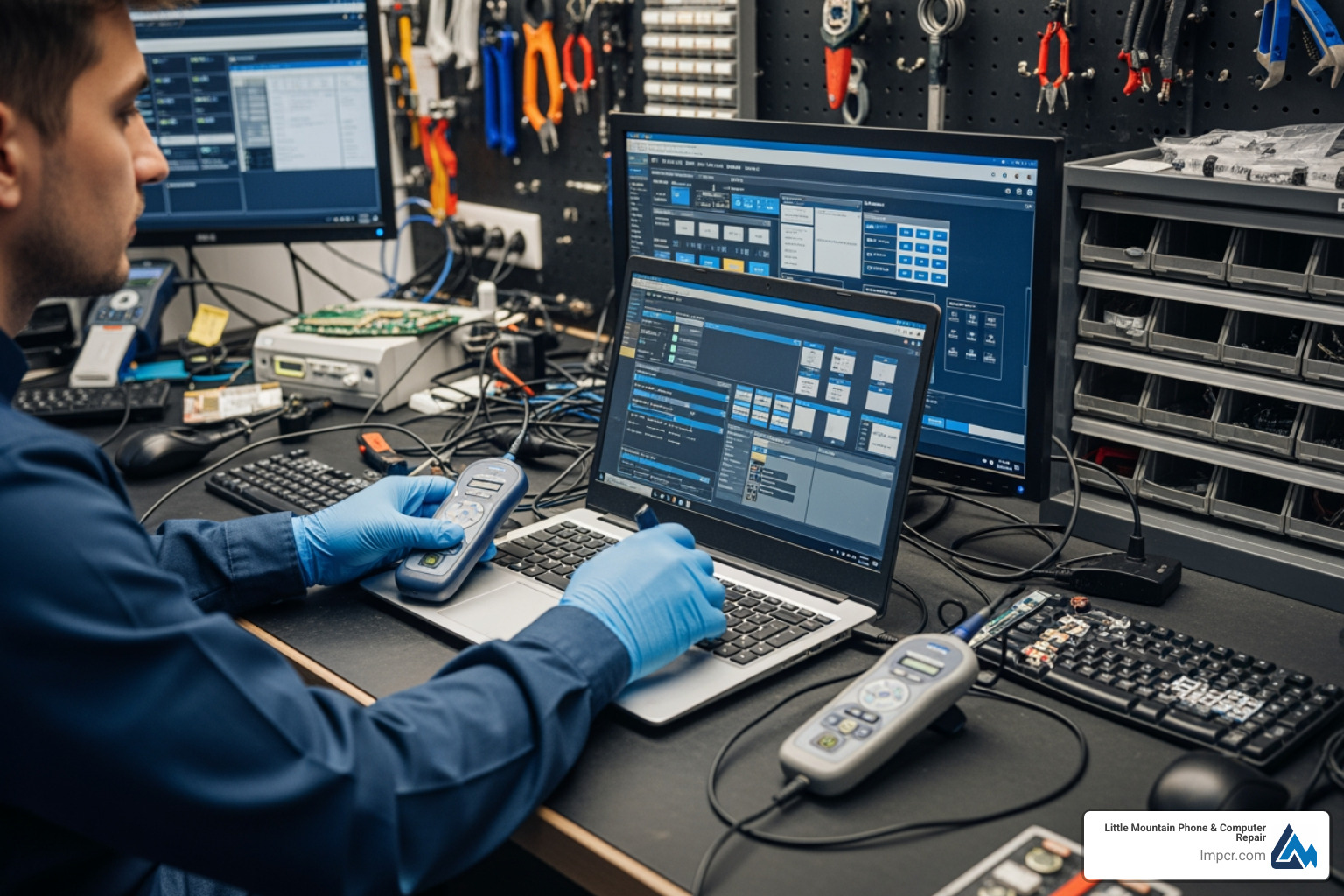
A computer diagnostic service is a professional evaluation that identifies hardware failures, software conflicts, and performance issues in your PC, Mac, or laptop. When your computer won’t boot, runs painfully slow, or displays cryptic error messages, diagnostics pinpoint the root cause so you can fix the right problem the first time.
What you need to know about computer diagnostic services:
Your computer is essential for work, school, and managing your daily life. Whether you’re dealing with a laptop that won’t turn on, a desktop infected with malware, or a Mac that’s running slower than usual, professional diagnostics can determine what’s wrong before you waste money on the wrong solution.
Modern computers contain complex hardware and software working together. When something goes wrong, the symptoms you see—freezing screens, unusual sounds, or warning messages—are often just indicators of deeper issues. Without proper diagnostic tools and expertise, troubleshooting becomes guesswork.
I’m Jay Baruffa, President of Tech Dynamix and owner of Little Mountain Phone & Computer Repair in Painesville, Ohio, where I’ve spent years delivering reliable computer diagnostic services and repairs to families and businesses across Lake County. Whether it’s a failing hard drive, virus infection, or mysterious slowdown, my team and I use professional-grade tools to diagnose the exact issue and provide honest, transparent repair recommendations.
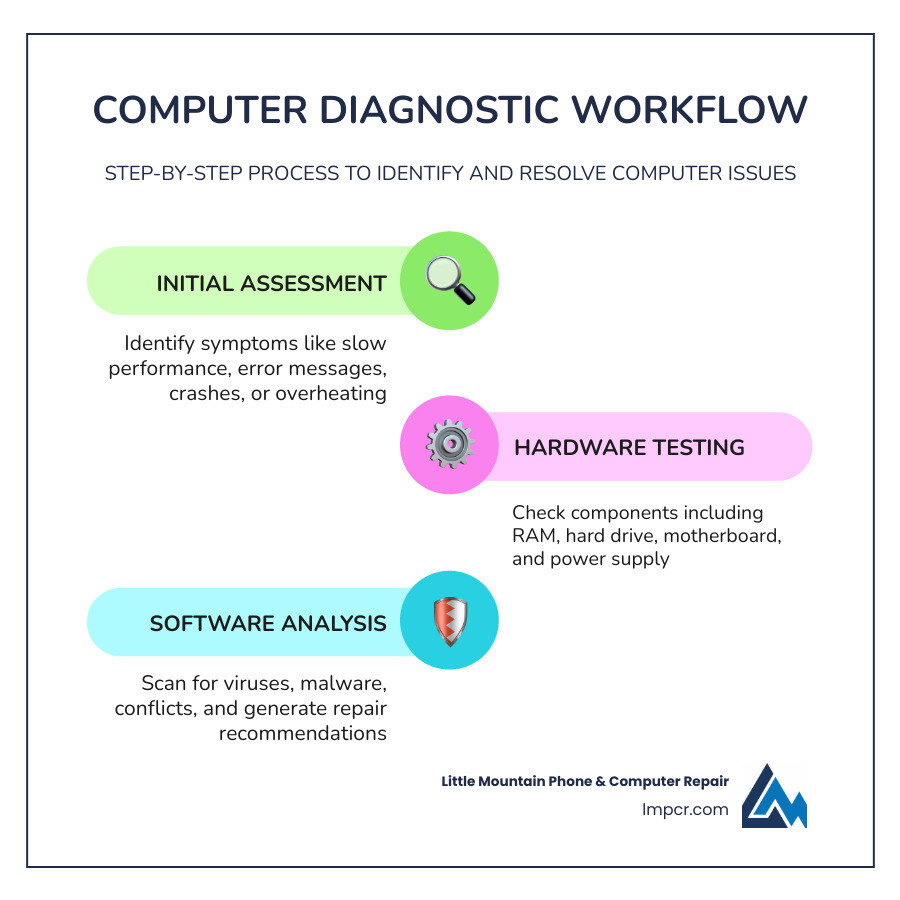
When your technology starts acting up, it’s easy to feel like Murphy’s Law is in full effect—anything that can go wrong, will go wrong. Fortunately, diagnostics When something does “go wrong” with a computer it’s easy to feel helpless. Fortunately, unlike poor old Murphy, we have tools to analyze and resolve these problems. These are collectively described as computerdiagnostics.
At its core, a computer diagnostic service is the process of testing a computer system to ensure it’s working correctly and identifying the specific source of any failure. This isn’t just about finding out why a computer won’t turn on; it’s about a deep hardware analysis of the motherboard, RAM, and power supply, as well as a search for software conflicts that might be causing system instability.
Think of it like a physical for your tech. Just as a doctor uses tools to check your vitals, we use specialized software and hardware testers to check your machine’s “health.” This process is vital for Computer Repair because it prevents “parts cannon” repairs—where a technician just keeps replacing parts until the problem goes away, costing you a fortune in the process. Proper diagnostics lead to efficient error resolution, better system longevity, and the peace of mind that your data is safe.
How do you know when it’s time to bring your machine into our shop in Painesville or Mentor? Sometimes the signs are subtle, and sometimes they’re as loud as a fire alarm.
Interestingly, modern computers and modern vehicles share a lot of DNA when it comes to troubleshooting. Just as a car uses diagnostic trouble codes (DTCs) to tell a mechanic which sensor is failing, your computer uses BIOS beeps and OS warning icons to communicate its distress.
When you turn on a computer, it performs a POST (Power-On Self-Test). If the hardware is failing, the motherboard might emit a series of beeps. These aren’t random; they are specific codes that tell us if the RAM is loose or the CPU is failing. Similarly, Windows and macOS use universal icons—like a spinning beachball or a yellow exclamation mark in the Device Manager—to signal issues. Understanding these PC Repair Tag symptoms is the first step in our computer diagnostic service to get your life back on track.
Is it possible to diagnose your own computer at home? Yes, to an extent. However, there is a significant difference between running a basic software scan and using professional hardware tools.
| Feature | DIY Software Diagnostics | Professional Diagnostic Service |
|---|---|---|
| Tools Used | Built-in OS utilities (ScanDisk) | Hardware stress testers, multimeters, thermal cameras |
| Depth | Surface-level software checks | Deep hardware and circuitry analysis |
| Accuracy | Good for “glitches” | Essential for hardware failure identification |
| Risk | High risk of misdiagnosis | Guaranteed results with expert oversight |
| Cost | Free (Time investment) | Paid (Usually credited toward repair) |
At Little Mountain Phone & Computer Repair, we offer several ways to get your device checked. While some big-name providers have ratings as low as 1.6 out of 5 stars due to poor communication, we pride ourselves on our 20+ years of experience and local reputation in Lake County. We offer in-store drop-offs for comprehensive Laptop Repair and, in some cases, remote support for software-related headaches.
If you want to try a few things before making the trip to see us in Willoughby or Chardon, here are the “Nerd-level” basics:
While these steps are great for maintenance, they often can’t detect a failing capacitor on a motherboard or a micro-fracture in a laptop hinge. That’s when you need the Laptop Category experts.
Not all computers are created equal. Diagnosing a Dell Laptop is a very different experience than troubleshooting a Lenovo Laptop or a MacBook.
Whether your device falls under the Computer Category of desktop or mobile, the diagnostic process ensures we aren’t just guessing at the solution.
When you bring your device to a professional, you shouldn’t be left in the dark. A transparent computer diagnostic service follows a clear path: check-in, testing, reporting, and approval.
Across the industry, diagnostic fees vary. Some shops charge a non-refundable deposit to cover the technician’s time. For example, some regional providers recently increased their fees to $39, while others charge $65 for carry-in repairs. At Little Mountain Phone & Computer Repair, we believe in fair Services and Rates.
The best part? In many cases, if you choose to move forward with the repair, the diagnostic fee is credited toward your total bill. This means the diagnostic essentially becomes free if you’re getting the machine fixed anyway!
We know you need your tech back—yesterday. While some big-box stores might keep your computer for a week just to look at it, our goal is efficiency.
Testing complexity and part availability are the two biggest factors in timing. If we need to order a specialized motherboard for a rare laptop, it may take longer, but we keep you updated every step of the way in the Computer Repair Category.
A professional computer diagnostic service should come with a safety net. You shouldn’t have to worry that the problem will return the moment you get home to Eastlake or Wickliffe.
We use high-quality, often OEM-equivalent parts, to ensure your device runs like new. Many reputable shops offer a limited warranty on their work—ranging from 90 days to a full year. This covers the specific part replaced and the labor involved. Our commitment to customer satisfaction means we stand behind every screw we turn and every line of code we fix.
One of the most heart-wrenching moments for any computer user is the realization that their photos, tax documents, or work files might be gone. This is where a computer diagnostic service becomes a rescue mission.
Your hard drive failure symptoms are often the first thing we look for. If a drive is physically failing, every second it stays powered on is a risk. Our diagnostic tools can determine if the data is still retrievable. We often recommend a multi-layered approach to Data Backup & Recovery:
Fee structures vary, but you can generally expect to pay between $39 and $65 for a professional evaluation. Many local shops, including us, will apply this fee toward the cost of your repair if you choose to proceed. Beware of “free” diagnostics that come with high-pressure sales tactics; a small fee usually ensures a more thorough, unbiased report.
Yes! For many common issues like Laptop Repair screen replacements, battery swaps, or software updates, we can often finish the work the same day. Our 30-minute average repair time is a point of pride for our team in Lake County.
Remote diagnostics involve an agent accessing your computer via a secure internet connection. This is perfect for software configuration, malware removal, or email setup. However, if your computer won’t turn on or has a cracked screen, an in-store visit is necessary.
Navigating computer troubles doesn’t have to be a nightmare. By choosing a professional computer diagnostic service, you’re taking the guesswork out of technology repair and ensuring your device gets the expert care it deserves.
At Little Mountain Phone & Computer Repair, we’ve spent over 20 years serving our neighbors in Painesville, Mentor, Willoughby, and throughout Lake County. We combine decades of experience with a commitment to speed—boasting a 30-minute average repair time for most common issues. Don’t let a “glitchy” computer slow your life down. Whether you’re in Geneva or Wickliffe, we’re here to provide the comprehensive solutions you need.
Ready to get your device back in top shape? Visit us today for Professional Diagnostic Services and experience the difference that local expertise makes.

Need Help?
© Big Hill Technologies, LLC. All Rights Reserved