-

-
Location:
1922 Mentor Ave, Painesville Twp.
Location:
1922 Mentor Ave, Painesville Twp.
Pixel 8 screen repair can be completed through three main paths:
Cost comparison:
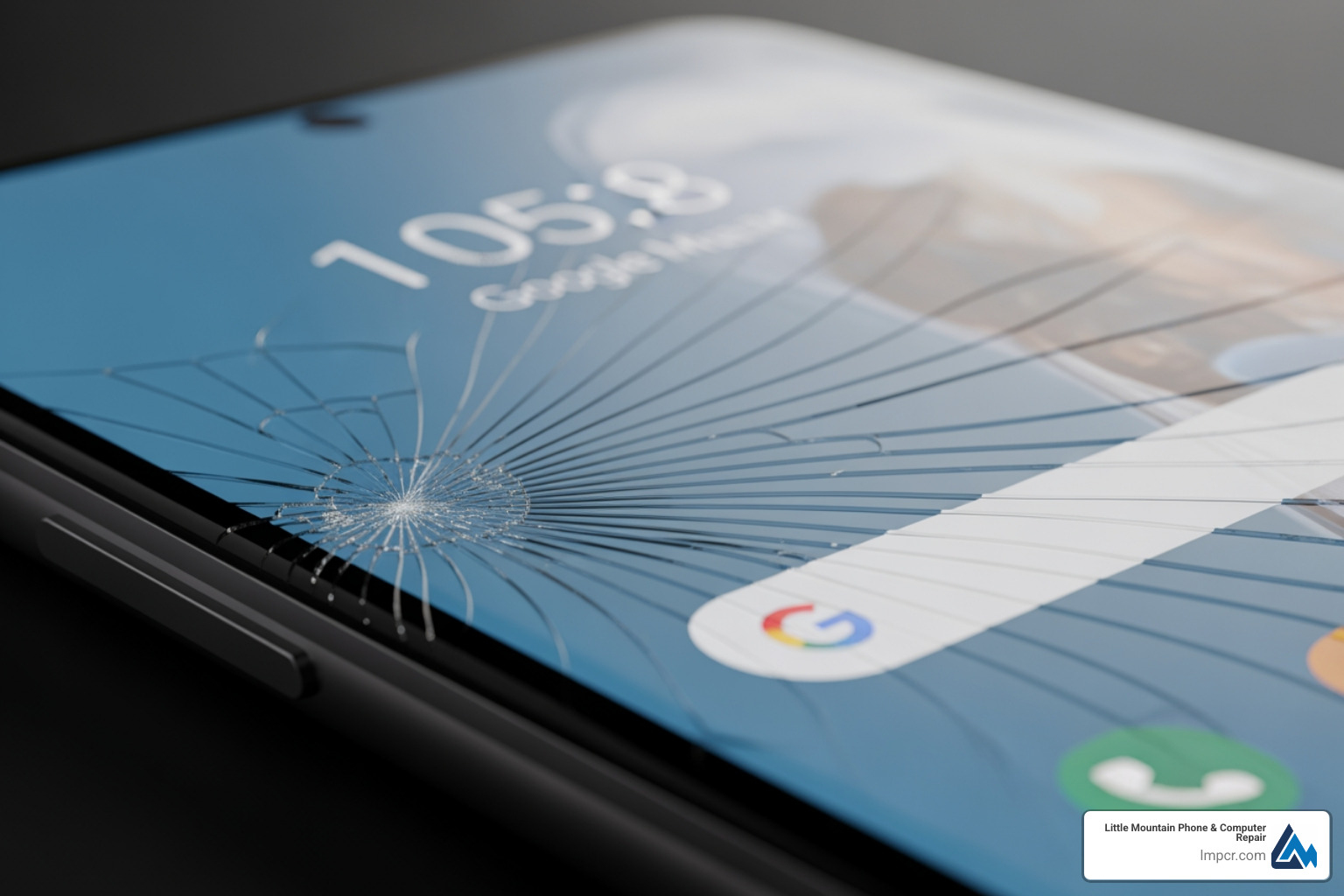
A cracked screen doesn’t mean your Pixel 8 is finished. Whether you dropped it on concrete or found a spiderweb of cracks after pulling it from your pocket, you have real choices for getting it fixed.
Google offers official repair services through mail-in and authorized walk-in locations. The company even runs an Extended Repair Program that covers specific display issues like vertical lines and flickering for free within three years of purchase.
But official isn’t your only option. DIY repair has become surprisingly accessible. Genuine parts and detailed guides are available that walk you through every step. A Pixel 8 screen kit typically includes the display, adhesive, and the necessary tools.
Local repair shops offer a middle path. You get professional expertise without shipping your phone away or doing the work yourself.
The right choice depends on your comfort level, timeline, and budget. Some people want their device back the same day. Others prefer saving money by doing it themselves. And if your phone qualifies for Google’s free display replacement program, that decision becomes much easier.
I’m Jay Baruffa, and I’ve been repairing smartphones for over 20 years at Little Mountain Phone & Computer Repair in Painesville, Ohio. We handle Pixel 8 screen repair regularly, and I’ve seen how the right repair approach can extend a device’s life and save customers hundreds of dollars.
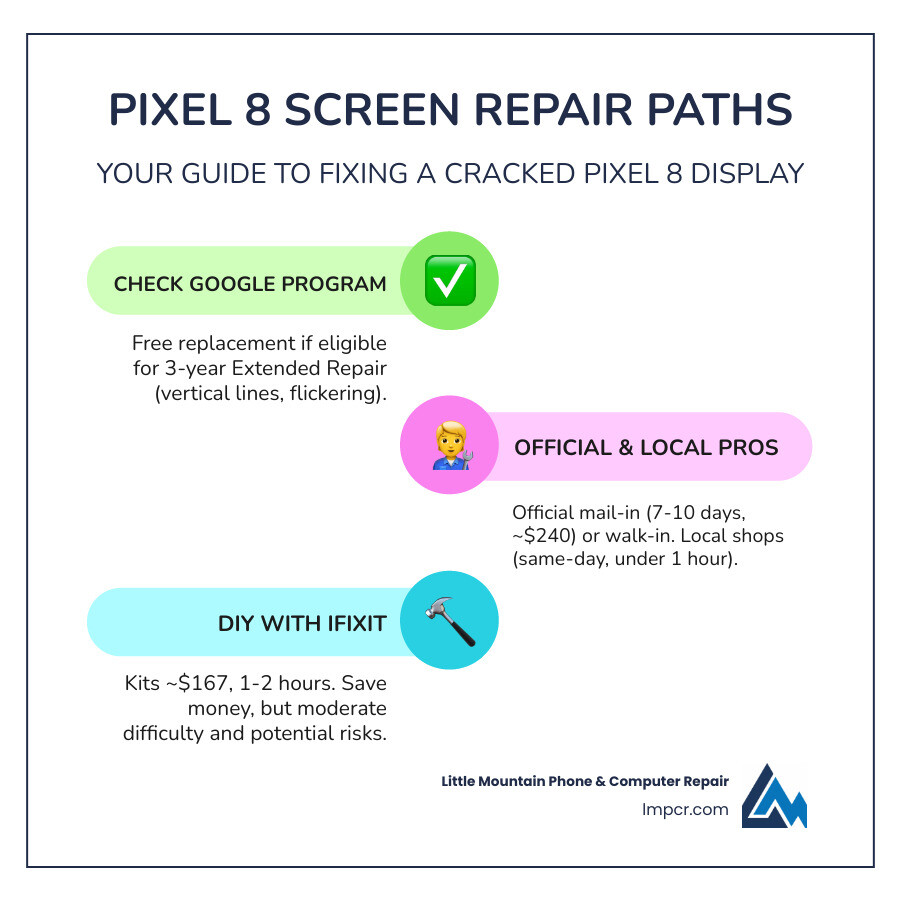
When your Pixel 8’s vibrant Actua display or its underlying OLED technology suffers damage, your first thought might be to turn to the manufacturer. Google provides official avenues for Pixel 8 screen repair, alongside offering protection plans and an intriguing extended repair program for specific issues. For those who prefer a hands-off approach or need assured quality, these official and professional services are excellent choices.
Google’s official repair services offer both mail-in and walk-in options. If you choose the mail-in route, repairs are typically completed within 7-10 days of the device being inspected, and Google offers fast, free shipping. For quicker service, authorized walk-in locations can often complete repairs on the same day, though this depends on the specific store’s workload and parts availability. The cost of an official repair can vary based on the issue and whether your device is under warranty, so it’s always best to start a repair request for an accurate estimate.
To protect your device against accidental damage like a cracked screen or spills, Google offers Pixel Care+ (also referred to as Preferred Care). This extended coverage plan must be added within 30 days of your Pixel 8’s purchase. Pixel Care+ provides unlimited accidental damage protection, which can be a lifesaver when life’s little accidents happen. You can easily check your device warranty status directly through the Google Store when initiating a repair.
For those in our community across Painesville, Concord Township, Mentor, Willoughby, and other Lake County, Ohio locations, Little Mountain Phone & Computer Repair offers a compelling alternative. We provide expert Smartphones Repair for your Pixel 8, often completing most repairs in under an hour. Our average repair times are quick, and we pride ourselves on providing comprehensive solutions backed by over 20 years of experience in the device repair industry. Choosing a local professional like us means you get certified expertise, quality parts (where available), and the convenience of same-day service without having to ship your phone away. We understand that your phone is an essential part of your daily life, and we strive to get it back to you as quickly as possible. You can explore our Cellphone Repair services to learn more.
| Service Type | Turnaround Time | Estimated Cost (Pixel 8 Screen) | Benefits | Drawbacks |
|---|---|---|---|---|
| Official Mail-in (Google) | 7-10 days | ~$240 (authorized partner estimate) | Manufacturer-approved, warranty coverage, free shipping | Longer wait time, no direct interaction |
| Official Walk-in (Google Authorized) | Same-day (varies) | ~$240 (authorized partner estimate) | Quick, manufacturer-approved, direct interaction | Availability varies, cost similar to mail-in |
| Little Mountain Phone & Computer Repair (Local Professional) | Under an hour (most) | Request quote | Fast turnaround, local convenience, 20+ years experience, expert diagnostics | Not directly Google-affiliated for warranty claims (unless specifically authorized for in-warranty repairs) |
Beyond standard warranty and accidental damage coverage, Google has acknowledged a specific issue affecting a limited number of Pixel 8 devices: persistent vertical lines running from the bottom to the top of the display, or display flickering. In response, they’ve initiated an Extended Repair Program.
This program provides support coverage for eligible Pixel 8 devices for three years after the original retail purchase date. If your Pixel 8 exhibits these specific display issues and is free from other forms of damage like a cracked screen or liquid intrusion, you might be eligible for one free display replacement. Repairs performed under this program also come with a 90-day warranty.
Physical damage like a cracked screen will likely make your device ineligible for this free program. So, if your Pixel 8 screen repair is needed due to a drop, this program might not apply. However, if you suspect a manufacturing defect, it’s definitely worth checking. You can easily enter your IMEI to verify eligibility on Google’s repair portal.
Whether you opt for an official Google repair, bring your device to us at Little Mountain Phone & Computer Repair, or even attempt a DIY fix, proper preparation is crucial. This step ensures your data is safe and the repair process goes smoothly.
Our top recommendation, and Google’s, is always to back up your data. While we take every precaution, any repair that involves opening your phone carries a small risk of data loss. Backing up your precious photos, contacts, and apps to your Google Account or another cloud service is simple and provides peace of mind.
Before sending your device for repair or dropping it off, Google also advises the following:
Following these steps, outlined further in Google’s pre-repair checklist, helps protect your privacy and prepares your Google Pixel 8 for its journey back to full health.
For the adventurous and technically inclined, performing your own Pixel 8 screen repair can be a rewarding and cost-effective endeavor. Thanks to initiatives like Google’s partnership with iFixit, genuine parts and detailed guides are readily available, making DIY repair more feasible than ever before.
The heart of any DIY screen repair is the replacement part itself. You’ll need a genuine Google Pixel 8 Screen – Genuine assembly. These genuine screens, sourced directly from Google’s supply chain, come with the front glass, OLED display, and importantly, the integrated fingerprint reader already attached. This simplifies the repair process significantly, as you won’t need to transfer the tiny fingerprint sensor from your old screen.
Beyond the screen, you’ll need a specialized toolkit. Most reputable suppliers, like iFixit, offer comprehensive “Fix Kits” that contain everything you need. A typical kit for a Pixel 8 screen replacement includes:
It’s also vital to consider Electro Static Discharge (ESD) safety. Our internal repair manual (and Google’s official one) stresses the importance of working in an ESD-safe environment. This means using an ESD mat and a grounded wrist strap to prevent static electricity from damaging sensitive internal components. While not always included in basic kits, these are highly recommended for any serious DIY repair.
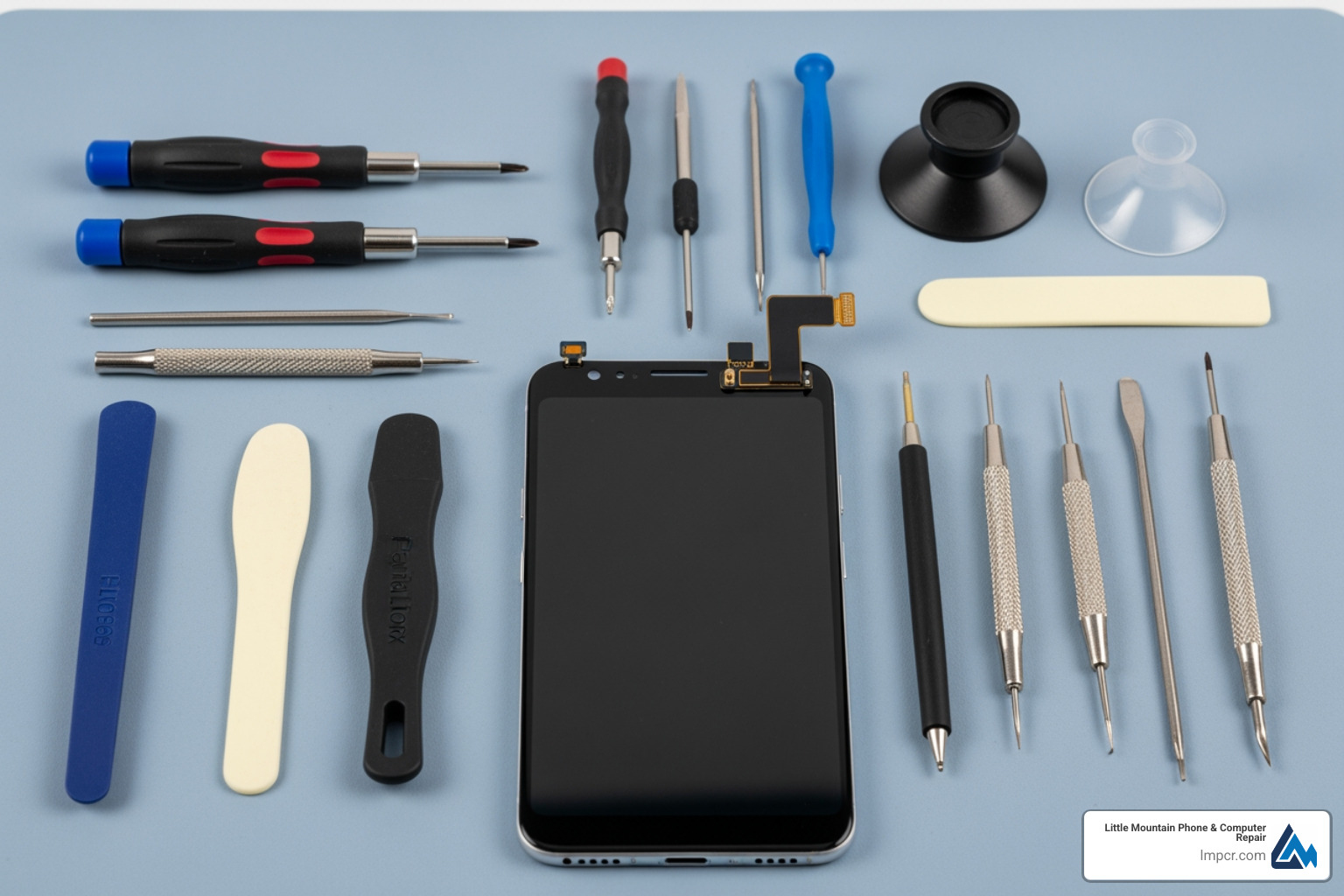
Starting on a DIY Pixel 8 screen repair requires patience and precision. While we always recommend professional service for optimal results, especially for complex devices like the Pixel 8, here’s a general overview of the process if you choose the DIY route:
Preparation is key: Before you begin, ensure your Pixel 8’s battery is drained below 25%. This minimizes the risk of fire if the battery is accidentally punctured during the repair. Unplug all cables and power off your phone completely. If your screen is cracked, tape over the cracks with packing tape to prevent glass shards from flying and to help the suction cup adhere.
Heat it up: The Pixel 8 screen is held in place by strong adhesive. You’ll need to apply heat to the edges of the phone using an iOpener, heat gun, or even a hair dryer to soften this adhesive. This makes it much easier to separate the screen.
Create a gap: Use a suction handle near the bottom edge of the screen to create a tiny gap. Into this gap, carefully insert an opening pick. A crucial tip from official guides: do not insert the pick more than 3mm into the device to avoid damaging internal components like spring contacts or cables. Some users even mark their picks or tape a coin to them to ensure they don’t go too deep.
Slice and separate: Once the pick is inserted, slide it along the edges of the screen, applying more heat as needed. Leave picks in place as you go to prevent the adhesive from re-sealing. Work your way around all four edges until the screen is mostly free.
Disconnect the screen: With the adhesive separated, you can gently open the screen like a book, usually propping it up along one side. This exposes the internal connectors. You’ll typically need to remove a small cover over the screen cable and then carefully disconnect the press connector using a spudger. Press connectors are delicate; align them over their socket and gently press down on one side until it clicks, then the other, avoiding pressing in the middle to prevent bending pins.
Reassembly and calibration: After installing your new genuine screen, reverse the disassembly steps. Ensure all cables are securely reconnected and apply new display adhesive to seal the phone. Once reassembled, calibrate the fingerprint sensor. Google offers an online update and software repair tool specifically for this purpose, which is necessary to ensure your fingerprint reader functions correctly with the new display. You can also run a diagnostics test with the built-in Pixel Diagnostic tool to verify everything is working.
While the idea of saving money and the satisfaction of fixing your own device are appealing, DIY Pixel 8 screen repair comes with a significant set of risks and challenges. We’ve seen many attempts, both successful and unsuccessful, and understand the complexities involved. Google itself provides resources to learn about self-repair, but also cautions users.
Here are some of the common pitfalls and dangers:
Fragile Components: The Pixel 8’s internal components, especially the OLED display itself and the delicate flex cables, are incredibly fragile. Even a slight misstep can lead to cable tearing, damaging the new screen, or breaking other internal parts. The back of the screen is particularly vulnerable to scratches or dents.
Compromised Water Resistance: The Pixel 8 boasts an IP68 dust and water resistance rating. When you open the phone, you break the factory seal. While new adhesive is applied during reassembly, it’s extremely difficult to restore the phone’s original water and dust resistance to factory standards. A DIY repair almost always means your phone will be more susceptible to liquid damage in the future.
Battery Safety: The lithium-ion battery inside your Pixel 8 can be dangerous if mishandled. If punctured, it can catch fire or explode. This is why draining the battery below 25% before starting is crucial, as a fully charged battery poses a greater risk if damaged.
Single-Use Screws: Google’s official repair manual highlights that many screws inside the Pixel 8 are single-use items. This means they are designed to be replaced with new screws after removal to ensure proper torque and secure fastening. Reusing old screws can lead to loose components or stripped threads.
Electro Static Discharge (ESD): Static electricity, even a small, unnoticeable shock, can permanently damage sensitive electronic components. Without proper ESD precautions (like an ESD mat and wrist strap), you risk “bricking” your phone or causing intermittent issues.
Sensor Alignment and Functionality: The Pixel 8’s display includes an optical fingerprint sensor. Proper alignment and calibration are critical for it to function correctly after a screen replacement. Other sensors, like the proximity sensor, can also be affected if not properly re-seated or if debris interferes with them.
Warranty Voiding: Performing a DIY repair typically voids your manufacturer’s warranty. If something goes wrong during or after your self-repair, Google may no longer cover subsequent issues, even if they are unrelated to the screen. This could mean costly out-of-pocket repairs or even needing to replace the entire device.
While DIY repair offers satisfaction and potential savings, it’s a task best undertaken by those with a high degree of technical comfort and patience. For most users, the risks outweigh the benefits, making professional service a more reliable and less stressful option.
We hear a lot of questions from our customers about Pixel 8 screen repair, and we’re here to provide clear answers based on our experience and the latest information.
The cost of a Pixel 8 screen repair can vary significantly depending on whether you choose DIY, official Google service, or a local professional repair shop like ours.
DIY Repair: If you’re comfortable doing it yourself, a genuine Pixel 8 screen kit typically costs around $166.99 (as of recent data). This often includes the screen and necessary tools, depending on the kit you choose. For older Pixel models, kits have historically offered meaningful savings compared to authorized service.
Official Google Service (via authorized partners): For a professional repair through an authorized Google partner, the estimated cost for a Pixel 8 screen repair can be around $239.99. This is a general estimate and can fluctuate.
Local Professional Repair (Little Mountain Phone & Computer Repair): We offer competitive pricing for Cellphone repairs, including the Pixel 8. Because costs can vary based on parts availability and the extent of the damage (for example, if other components were affected), we recommend contacting us directly for a personalized quote. Our goal is to provide a cost-effective solution without compromising on quality or turnaround time.
While DIY can be the cheapest up-front, factor in the value of your time, the risk of error, and the potential for losing water resistance. Professional services, like ours, offer peace of mind and often come with a warranty on the repair.
The duration of your Pixel 8 screen repair largely depends on the service option you choose:
Official Google Mail-in Repair: If you send your phone to Google for mail-in service, the entire process, including shipping both ways, usually takes about 7-10 days from the time they inspect your device.
Official Google Walk-in Repair: At authorized walk-in repair centers, repairs can often be completed on the same day. However, this is subject to the store’s current workload and whether they have the necessary parts in stock.
Local Professional Repair (Little Mountain Phone & Computer Repair): We understand that you rely on your phone daily. Most Google Pixel repairs, including screen replacements, can be completed by our experienced technicians in under an hour. We offer same-day repairs for many types of screen damage, helping you get back to your day quickly.
DIY Repair: For a DIY enthusiast, the actual repair process for a Pixel 8 screen is estimated to take anywhere from 45 minutes to 1 hour, although for a beginner, it could easily extend to a couple of hours. This doesn’t include the time spent acquiring parts and tools.
Yes, if you purchase a genuine Google replacement screen for your Pixel 8, it will come with the fingerprint reader already attached. This is a significant convenience for DIY repairers and helps ensure compatibility and proper functioning.
However, simply installing the new screen isn’t always enough for the fingerprint sensor to work perfectly. After a screen replacement, especially one involving the fingerprint sensor, calibration is typically required. You’ll need to use Google’s Pixel Update and Software Repair tool to calibrate the display’s optical fingerprint reader. This step is crucial to ensure accurate and secure biometric authentication. If your replacement screen somehow didn’t have a pre-installed fingerprint reader, you would need to carefully transfer the original one and then perform the necessary calibration.
Facing a cracked Pixel 8 screen can be frustrating, but as we’ve explored, you have several viable paths to getting your device back in working order. From official Google services and the specific Extended Repair Program for certain display issues to the rewarding challenge of DIY repair, and the reliable convenience of local professionals like us, there’s a solution for everyone.
Choosing to repair your Pixel 8, rather than replacing it, offers significant benefits. It’s a step towards sustainability, reducing electronic waste, and making a global impact. Repairing also almost always saves you money compared to buying a brand-new phone, allowing you to get more life out of your valuable device. We strongly support the “Right to Repair” movement, empowering consumers with choice.
For those who prioritize speed, expertise, and peace of mind, professional repair is often the best choice. At Little Mountain Phone & Computer Repair, with over 20 years of experience serving Painesville, Mentor, Willoughby, and our neighboring communities in Lake County, Ohio, we offer expert diagnostics and efficient Pixel 8 screen repair. We handle the intricacies, risks, and calibration needs, ensuring your device is returned to you in excellent condition, often on the very same day.
Whether you’re weighing the pros and cons or you’re ready for a fix, we’re here to help you make the best decision for your Pixel 8. Don’t let a cracked screen keep you disconnected. Contact Little Mountain Phone & Computer Repair today for a quote or to schedule your repair.

Need Help?
© Big Hill Technologies, LLC. All Rights Reserved