
• Little Mountain Phone & Computer Repair
  • Location:

    1922 Mentor Ave, Painesville Twp.
  • March 10, 2026
  • No Comments

DIY or Pro? The Complete Pixel 6 Screen Repair Handbook

DIY or Pro? The Complete Pixel 6 Screen Repair Handbook

Why Your Pixel 6 Screen Matters More Than You Think

Pixel 6 screen repair is a common necessity. Whether it’s a spiderweb crack, a green line down the middle, or dead pixels after a drop, a damaged display can make your phone hard to use (or completely unusable). And because the Pixel 6 integrates the display, touch layer, and under-display fingerprint hardware into one assembly, screen damage is more than a cosmetic problem.

A cracked screen can also create secondary issues you might not expect:

  • Cuts and snags: Broken glass can catch on your finger or pocket and worsen over time.
  • Moisture and dust intrusion: Even hairline cracks can let debris in, which may lead to touch issues later.
  • Frame stress: A bowed or dented frame can prevent the replacement screen from sealing properly.
  • Battery and internal risk: Sharp glass and flexing during impact can stress internal cables and connectors.

Quick Answer: Your Pixel 6 Screen Repair Options

  • DIY Repair: $130-$193 for parts, 20-30 minutes, moderate difficulty
  • Professional Service: Starting at $180, 1 hour or less, includes warranty
  • Screen Type: 6.4″ OLED with integrated fingerprint reader
  • Key Challenge: Fingerprint sensor recalibration required
  • Water Resistance: IP rating is lost after any repair

The Pixel 6’s screen is a complex assembly including an AMOLED display, digitizer, and fingerprint reader. DIY kits from iFixit cost around $130, while professional repairs through authorized providers like uBreakiFix or local experts start at $180-$210. The difference usually comes down to time, risk, warranty coverage, and whether you want help with calibration and sealing.

If you’re deciding between DIY and a shop repair, ask yourself a few practical questions:

  • Is the phone still usable? If touch is failing or the display is black, DIY troubleshooting is harder because you cannot reliably test as you go.
  • Do you have the right tools and workspace? Heat, adhesive control, and screw management matter more than most people expect.
  • How important is the fingerprint reader? Many DIY repairs succeed but end with fingerprint not working due to missing calibration.
  • Do you need the phone the same day? A walk-in repair is often the fastest path back to a reliable device.

Replacing this screen involves dealing with adhesive, tiny screws, and delicate cables. One mistake can lead to a non-functional phone, dust under the display, or a broken fingerprint sensor experience. I’m Jay Baruffa, President of Tech Dynamix and owner of Little Mountain Phone & Computer Repair. I’ve guided many customers through the Pixel 6 screen repair process, and I’m here to break down everything you need to know so you can choose the option with the best outcome for your situation.
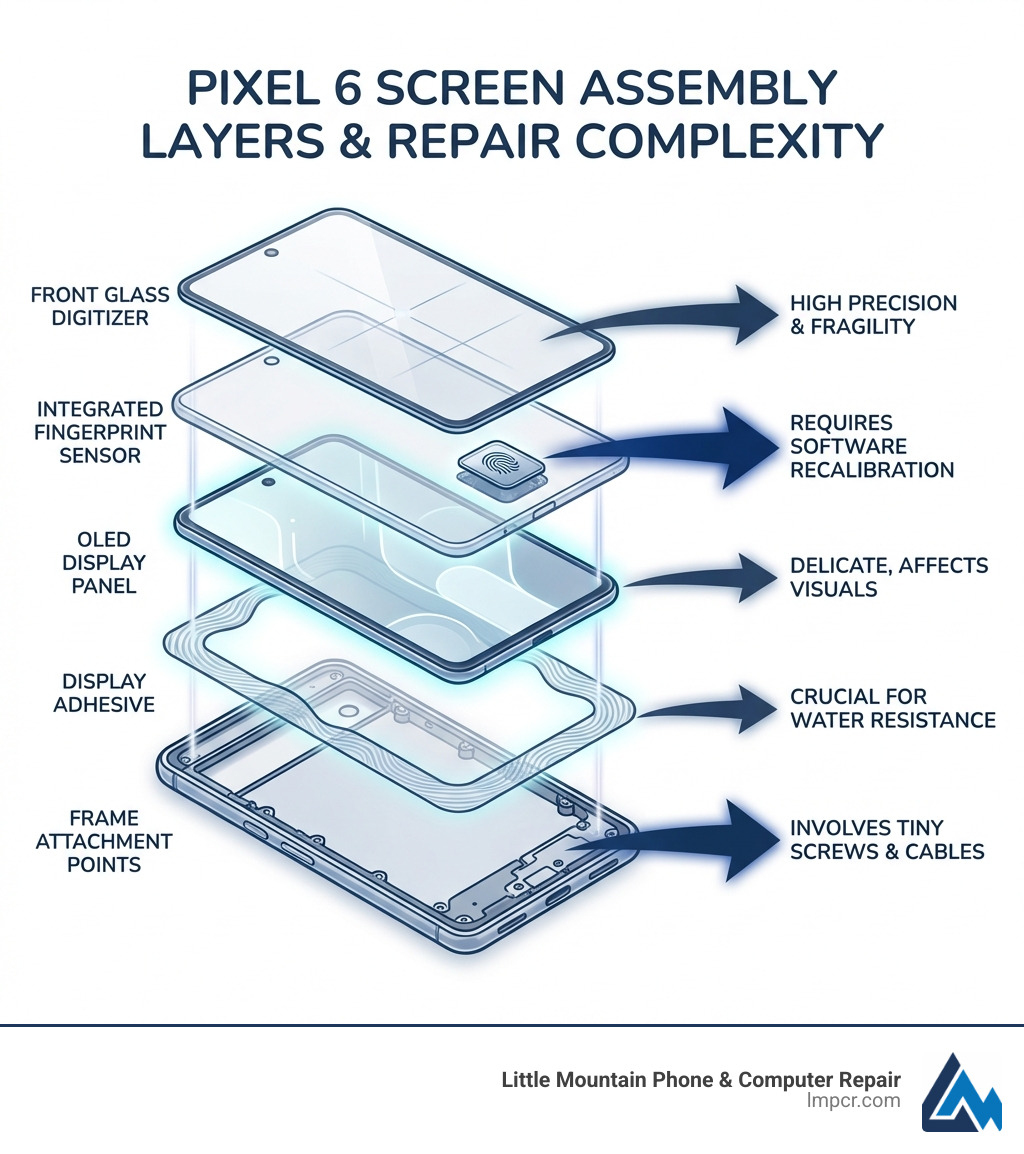
Infographic showing Pixel 6 screen assembly layers including front glass digitizer, OLED display panel, integrated fingerprint sensor, display adhesive, and frame attachment points with labeled arrows indicating repair complexity factors - Pixel 6 screen repair infographic

Identifying the Need for Pixel 6 Screen Repair

Before starting a Pixel 6 screen repair, confirm if a replacement is necessary. As experts in Smartphone repair, we see these common issues:

  • Glass Cracks: Even small cracks compromise structural integrity and allow dust or moisture to enter.
  • Dead Pixels: Black or colored dots indicate damage to the AMOLED panel, requiring a full replacement.
  • Flickering or Discoloration: Strange lines or tints usually point to internal display damage or motherboard connection issues.
  • Touch Unresponsiveness: If the screen doesn’t respond or has “ghost touches,” the digitizer has failed. Since it’s fused to the AMOLED, the whole screen must go.
  • Black Screen: If the phone vibrates or makes sounds but the screen is black, the display panel has failed.

Diagnostic Tools

Google Pixel phones have built-in diagnostics. You can also use Google’s online software repair and diagnostics to rule out software glitches. If physical damage is present, a Pixel 6 screen repair is the only solution.

DIY Pixel 6 Screen Repair: Tools, Parts, and Guide

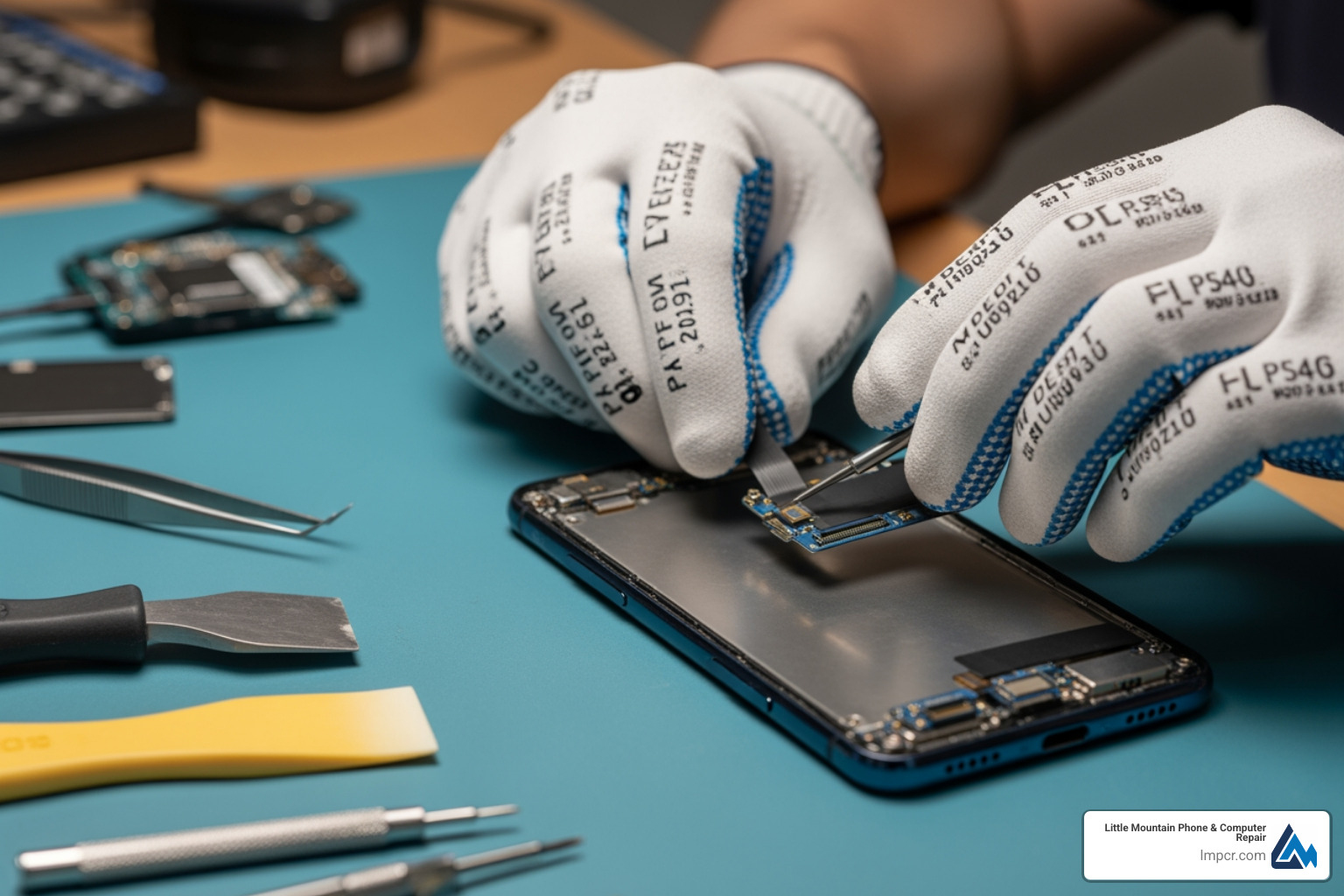
DIY Pixel 6 screen repair requires patience, precision, and the right equipment. The Pixel 6 is not a simple “pop the screen off” phone: strong adhesive, tight tolerances, and fragile flex cables mean you need to go slow and stay organized.

Before you begin, plan for two additional realities of DIY work:

  • A clean, dust-free environment matters. Tiny particles can end up between the OLED and glass or along the edge seal.
  • You only want to open the phone once. Repeated lifting and re-seating increases the chance of cable damage or a poor seal.

Essential Tools

  • New Pixel 6 Screen Assembly: Must include the AMOLED display, digitizer, and fingerprint reader.
  • Display Adhesive: For re-sealing the device.
  • iOpener or Heat Gun: To soften the factory adhesive.
  • Suction Handle & Opening Picks: To safely separate the screen from the frame.
  • Spudger & Tweezers: For disconnecting cables and handling tiny screws.
  • Precision Bits: Phillips #00, Torx T3, and Torx T5.
  • Isopropyl Alcohol: For cleaning old adhesive.

Helpful extras (not required, but strongly recommended):

  • Plastic playing card/thin plastic scraper: For adhesive cleanup without gouging the frame.
  • Magnetic project mat or labeled screw tray: Keeps fasteners organized.
  • Nitrile gloves: Reduces fingerprints on the underside of the display and keeps adhesive residue off your hands.

For quality Repair results, always use an OLED assembly rather than cheap LCD alternatives. LCD conversions can change brightness, color accuracy, power draw, and may create fingerprint-reader reliability issues.

Step-by-Step Guide

  1. Discharge Battery: Keep it below 25% to reduce fire risk.
  2. Power Off Completely: Do not attempt this repair with the phone powered on.
  3. Heat Adhesive: Apply heat to the screen edges to soften the adhesive (reheat as needed).
  4. Create Gap: Use the suction handle to lift the screen slightly.
  5. Slice Adhesive: Slide an opening pick around the perimeter. Work slowly and avoid plunging picks too deep near cable areas.
  6. Open Phone: Carefully lift the screen assembly just enough to access connectors.
  7. Disconnect Cables: Use a spudger to unplug the ribbon cables.
  8. Clean Frame: Remove all old adhesive with alcohol. Take your time here; leftover adhesive can prevent proper seating.
  9. Test New Screen: Connect the new screen and power on to test touch and display before sealing.
  10. Apply Adhesive & Seal: Apply new adhesive, align the screen, and apply even pressure.
  11. Fingerprint Check: Confirm the phone recognizes fingerprint setup after reassembly (calibration is covered later in this guide).

For a visual guide, see the Genuine Pixel 6 Screen Kit manual.

Sourcing Parts

Not all replacement screens are equal. The Pixel 6 uses an OLED panel, and quality differences show up quickly in brightness, color, touch accuracy, and fingerprint performance.

  • OEM Parts: Sourced from Google’s supply chain (e.g., iFixit). Best for quality.
  • Aftermarket: Cheaper but may have lower resolution or fingerprint sensor issues.
  • Frame Inclusion: Some screens come pre-installed in a frame, simplifying the process.

A few practical buying tips to avoid common DIY disappointment:

  • Verify the model (Pixel 6, not Pixel 6 Pro). Even small naming differences can mean a different assembly.
  • Avoid vague listings that do not explicitly state OLED/AMOLED. If the listing is unclear, assume it’s lower quality.
  • Inspect on arrival: Check for shipping damage, bent flex cables, or debris on the underside before installation.

As a Smartphone Repair shop, we recommend OEM parts for longevity and a repair outcome that feels like the original phone.

Professional vs. DIY: Cost and Warranty

Factor DIY Repair Professional Repair (LMPCR)
Screen Cost $130 – $193 Included
Labor $0 Included
Total Cost $130 – $193 Starting at $180
Time 30 mins – 2+ hours 30 – 60 mins
Warranty 30 days (parts) 90-day to 1-year
Risk High Low

DIY Costs: A genuine kit costs up to $193. While cheaper, it carries the risk of permanent device damage.

Professional Costs: At Little Mountain Phone & Computer Repair, services start at $180, including parts, labor, and a warranty. Check our Services for more details.

Warranty and Risk

DIY repairs void your Google warranty. If you damage the motherboard or battery, you are responsible. Professional repairs include a warranty that protects you against part defects or installation errors. Our technicians handle the complex fingerprint recalibration, which is often a stumbling block for DIYers.

Repair Time

  • DIY: Can take hours for beginners.
  • Professional Walk-in: Most repairs at our shop take 30-60 minutes.
  • Mail-in: Usually takes 7-10 days.

If you’re in Painesville or Mentor, Contact Us for a quick turnaround.

Critical Challenges: Fingerprint Sensors and Water Resistance

The Fingerprint Sensor

The Pixel 6 uses an under-display optical sensor.

  • Recalibration: After replacement, you must Recalibrate the fingerprint reader using Google’s software tool. Without this, the sensor won’t work.
  • Compatibility: Low-quality screens often fail to work with the sensor. We recommend OEM parts for your Pixel 6 repair.

Water Resistance

The Pixel 6 has an IP68 rating, but this is lost once the phone is opened. While we use high-quality adhesive to re-seal the device, it will never be as water-resistant as the factory seal. Always treat your phone as non-water-resistant after any repair.

Environmental Impact

Repairing your phone reduces e-waste. If you DIY, ensure you dispose of the old AMOLED screen and battery at R2 or e-Stewards certified recyclers. At Little Mountain Phone & Computer Repair, we handle all hazardous waste responsibly.

Frequently Asked Questions

Can I replace the glass without the OLED?

No. The glass, digitizer, and AMOLED are fused. Replacing just the glass is nearly impossible without specialized factory equipment. You must replace the entire assembly.

Will a new screen fix fingerprint issues?

Yes, if the sensor was damaged. Since the sensor is part of the assembly, a new screen provides a new sensor. However, software recalibration is mandatory for it to function.

Does DIY void my warranty?

Yes. Opening the device or using non-authorized parts voids the Google manufacturer warranty. If warranty coverage is vital, use an authorized provider.

Conclusion

Pixel 6 screen repair is manageable but requires careful consideration. DIY offers savings but carries high risk, while professional repair provides speed, expertise, and a warranty.

With 20+ years of experience, Little Mountain Phone & Computer Repair offers 30-minute average repair times. We serve Painesville, Mentor, Willoughby, Chardon, Geneva, and all of Lake County, Ohio.

If you have a cracked screen, visit our Cellphone Repair page or stop by our shop today for a reliable fix!